From Inquiry to Delivery: The Complete Order Journey
Follow an order from first customer contact through inquiry, quoting, production, delivery, and payment — the full lifecycle in BakeOnyx.
An order in BakeOnyx flows through one pipeline — inquiry → quote → confirmed order → production → delivery → payment — with each step tracked so nothing slips. Here's the full journey and how to move an order along it.
The Full Order Pipeline
The order journey can start in a few ways, but for custom orders and new clients, the full pipeline is key:
Step 1: Receiving an Inquiry
A customer reaches out to your bakery via phone, email, or your website's contact form. To capture this interest, navigate to Dashboard > Inquiries and click the New Inquiry button.
BakeOnyx will automatically assign a unique reference number (e.g., INQ-001). You'll then fill in essential details:
- Customer's name and contact information
- Event date and type
- Details about the products they're interested in
- Their budget (if known)
- Any special notes or requests
Step 2: Reviewing and Assigning
Once the inquiry is created, you can assign it to a specific staff member and set a Follow-up Date. The inquiry status will automatically update from New to Reviewing.
Step 3: Communicating with the Customer
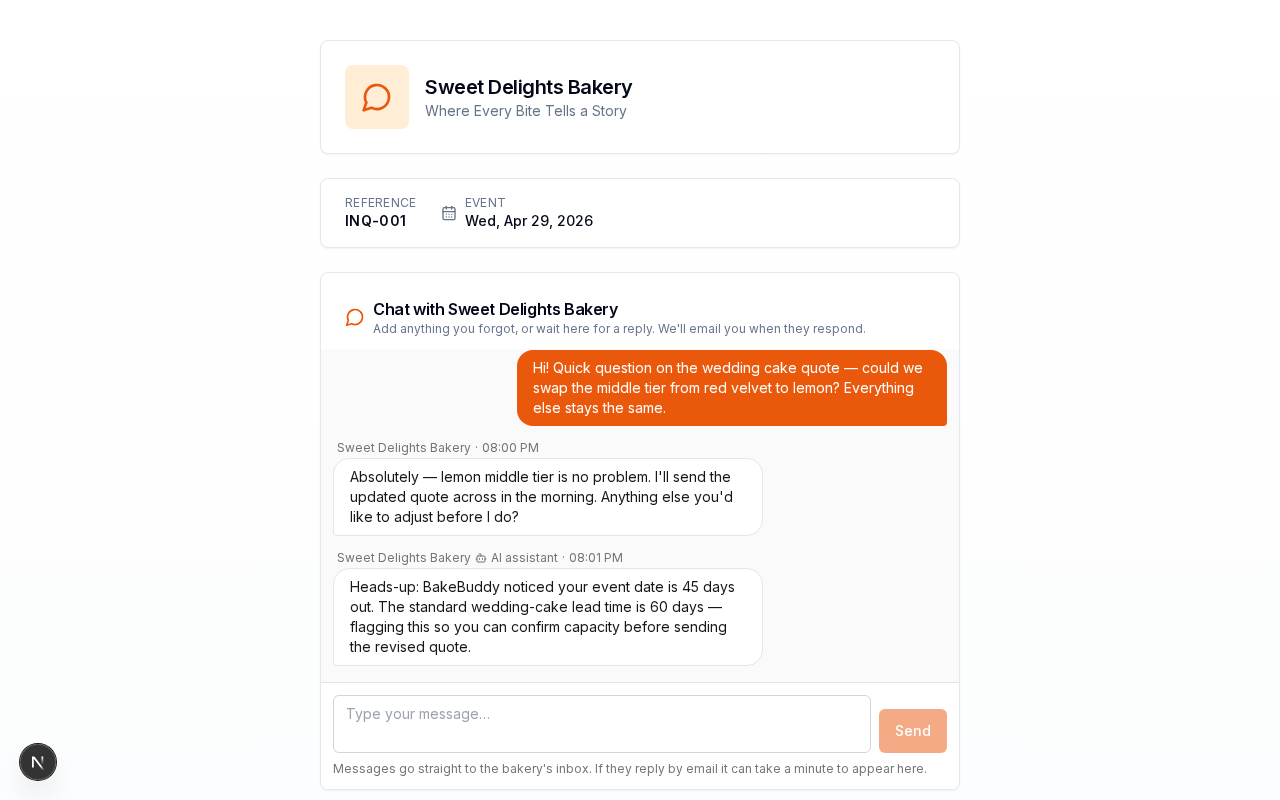
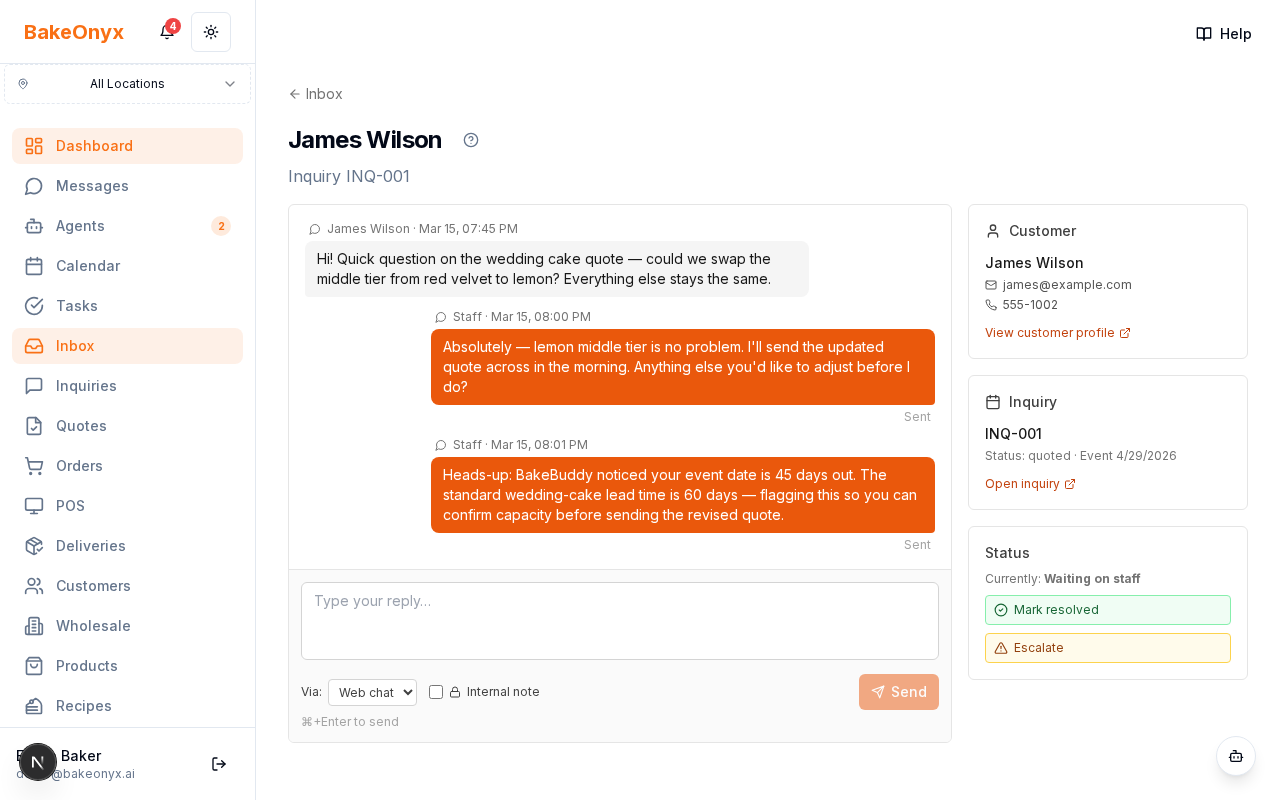
Respond to the customer with clarifications, options, or initial thoughts. As you communicate, the inquiry status will move to Responded. BakeOnyx makes this easy with a private chat link for each inquiry. This link, found at /i/[token], can be shared with the customer via email. They can reply directly from any device without needing to log in, and their messages will appear instantly in your BakeOnyx Inbox.
Step 4: Creating a Quote
When you're ready to provide pricing, create a quote directly from the inquiry. This generates a quote reference number (e.g., QT-001). The quote will include detailed line items with quantities, descriptions, and unit prices. The quote status begins as Draft.
Step 5: Sending the Quote
Send the finalized quote to your customer. The quote status will update to Sent.
Step 6: Customer Acceptance and Order Creation
Once the customer accepts your quote, click the Convert to Order button directly on the quote. BakeOnyx automatically creates a new order, transferring all line items, linking the customer record, and setting the initial order status to Pending. The associated inquiry status will update to Converted.
Step 7: Confirming the Order
Review the newly created order and confirm it. The order status will change to Confirmed.
Step 8: Production Planning
On the day production begins, your order items will automatically feed into the AI production scheduler located at Dashboard > Production.
Step 9: Production and Inventory
As your team completes production tasks, ensure you confirm inventory deductions within BakeOnyx.
Step 10: Preparing for Delivery or Pickup
Once production is complete, the order status will update to Ready for customer pickup. If your bakery handles delivery, you can set the status to Out for Delivery.
Step 11: Delivery Confirmation
After the order has been successfully handed over to the customer, update the status to Delivered.
Step 12: Payment Tracking
BakeOnyx allows you to easily track payments against each order. Record full or partial payments and manage different payment methods.
Step 13: Financial Reporting
Completed orders, along with their associated revenue and cost data, automatically flow into your financial reports at Dashboard > Reports, providing valuable insights into your bakery's performance.
Status Transitions at a Glance
Understanding status changes helps you keep track of where each order is:
- Inquiry Statuses:
New→Reviewing→Responded→Quoted→Accepted→Converted - Quote Statuses:
Draft→Sent→Accepted(orRejected) - Order Statuses:
Pending→Confirmed→In Progress→Ready→Out for Delivery→Delivered(orCancelledat any stage)
What BakeOnyx Automates
- Generation of unique inquiry and quote reference numbers.
- Automatic calculations for quote totals.
- Creation of new orders from accepted quotes, including all line items and customer details.
- Linking of customer records (and creation of new ones if needed).
- Cost tracking when recipes are linked to order items.
- Timestamping of status changes for a clear audit trail.
Next Steps
Now that you understand the order journey, explore how to manage your supplies: