Online Orders: From Storefront to Fulfillment
Set up your online store and see how customer orders flow from browsing and checkout through payment, production, and delivery or pickup.
Online Orders: From Storefront to Fulfillment
This article guides you through setting up your BakeOnyx online store and managing customer orders from the moment they click "buy" to when they pick up or receive their delicious baked goods.
- How to configure your online storefront, add products, and set up delivery options.
- The customer's journey from browsing your site to completing a purchase.
- How new online orders appear in your BakeOnyx dashboard and how to manage them through to fulfillment.
Setting Up Your Online Store (One-Time Setup)
Before customers can start ordering, you need to get your online presence ready. This involves a few key steps:
1. Configure Your Storefront
This is where you set the basic identity of your online shop.
- Navigate to Storefront in your BakeOnyx dashboard (
/dashboard/storefront). - Enter your Store Name.
- Write a brief Description of your bakery.
- Upload your Logo and a attractive Banner Image.
- Set your business Hours of Operation. Customers will only see available time slots within these hours.
2. Add Your Products
Showcase what you offer! Make sure each product is ready for online customers.
- Go to the Products section (
/dashboard/products). - Click to add a new product or edit an existing one.
- For each product, fill in:
- Name
- Description (be enticing!)
- Images (high-quality photos are key!)
- Sell Price
- Category (e.g., Cakes, Cookies, Breads)
- Check the box for Available for Online Ordering if you want it to appear on your storefront.
3. Set Up Delivery Zones
Define where you can deliver and any associated costs.
- Go to the Deliveries section (
/dashboard/deliveries). - Under Delivery Zones, define the geographic areas you serve. You can often do this by entering zip codes or drawing on a map.
- For each zone, set a Minimum Order Amount required for delivery.
- Specify the Delivery Fee for each zone.
4. Configure Payment Processing
Choose how you want to get paid online. BakeOnyx integrates with popular payment providers.
- Go to Settings, then Payments (
/dashboard/settings/payments). - Connect your existing Stripe or Square account by following the on-screen instructions.
Once these steps are complete, your online store is live! You can find your store's web address (URL) to share with your customers.
The Customer Experience: Browsing to Buying
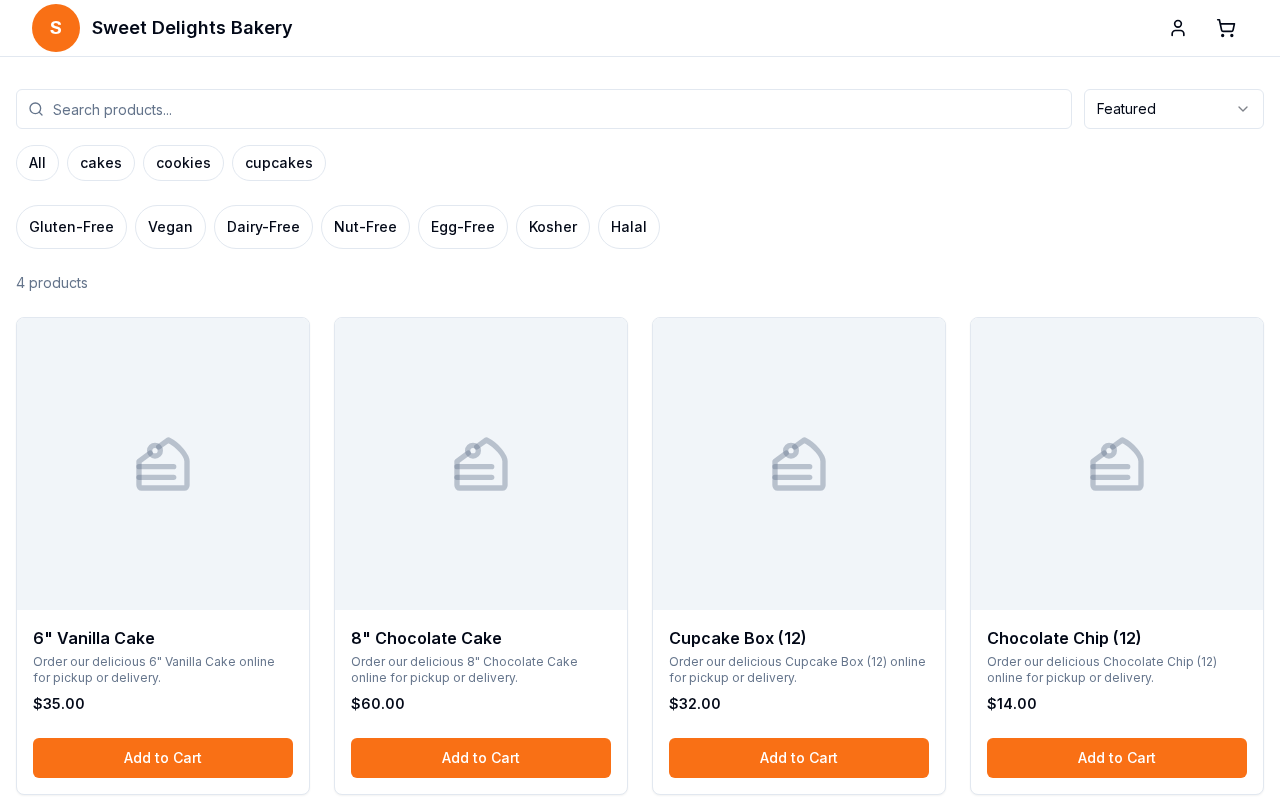
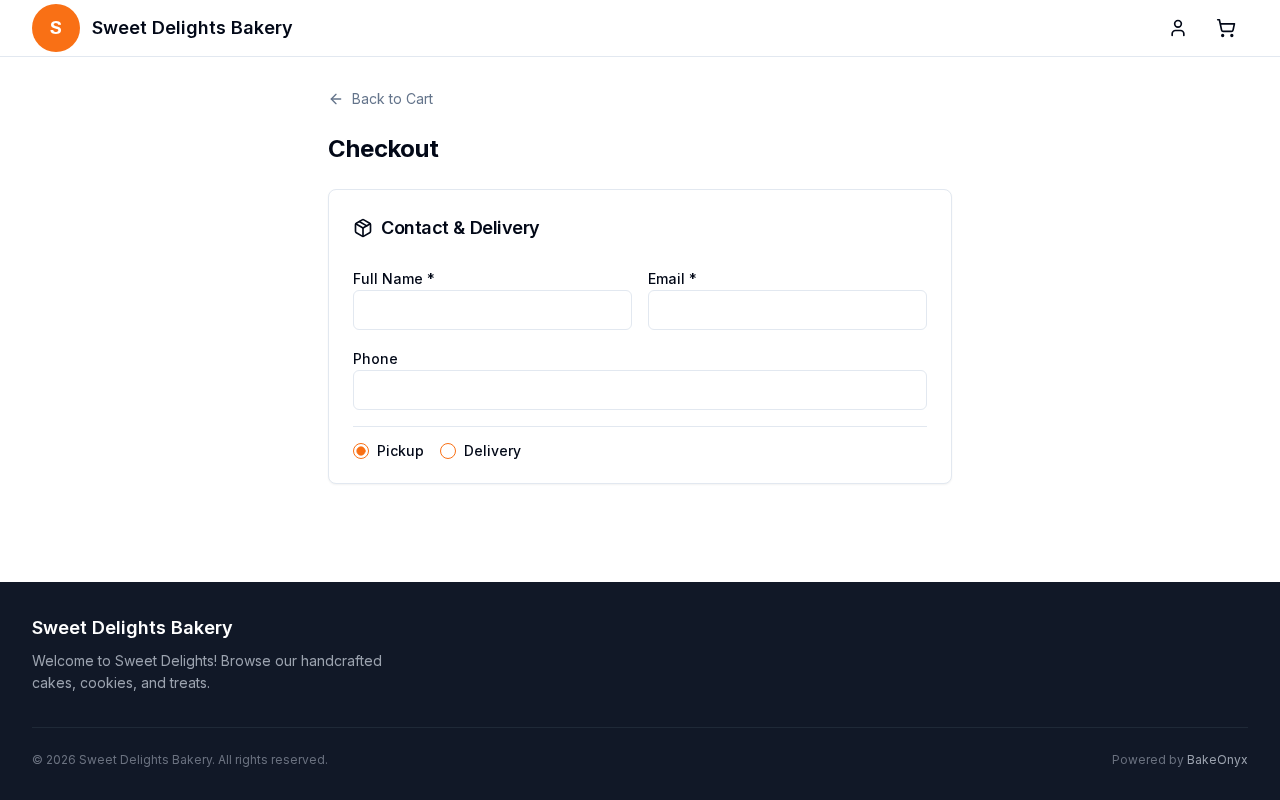
Here’s what a customer sees and does when they visit your online store:
- Browsing: Customers visit your store URL. They can easily browse products by category, view enticing images, read descriptions, and check prices.
- Adding to Cart: Customers add items to their cart. They can adjust quantities, add specific instructions (e.g., "no nuts," "write 'Happy Birthday' on the cake"), and apply any promo codes you've set up.
- Checkout: When ready, customers proceed to checkout.
- They choose between Delivery or Pickup.
- If they choose delivery, they enter their address. BakeOnyx automatically checks if it's within your defined delivery zones and calculates the correct delivery fee.
- They select a convenient time slot for pickup or delivery.
- Payment: Customers enter their payment details securely through your connected Stripe or Square account to complete the order. BakeOnyx supports guest checkout, meaning customers don't need to create an account to make a purchase. However, they do have the option to create an account for faster future orders.
The Baker Experience: Managing Incoming Orders
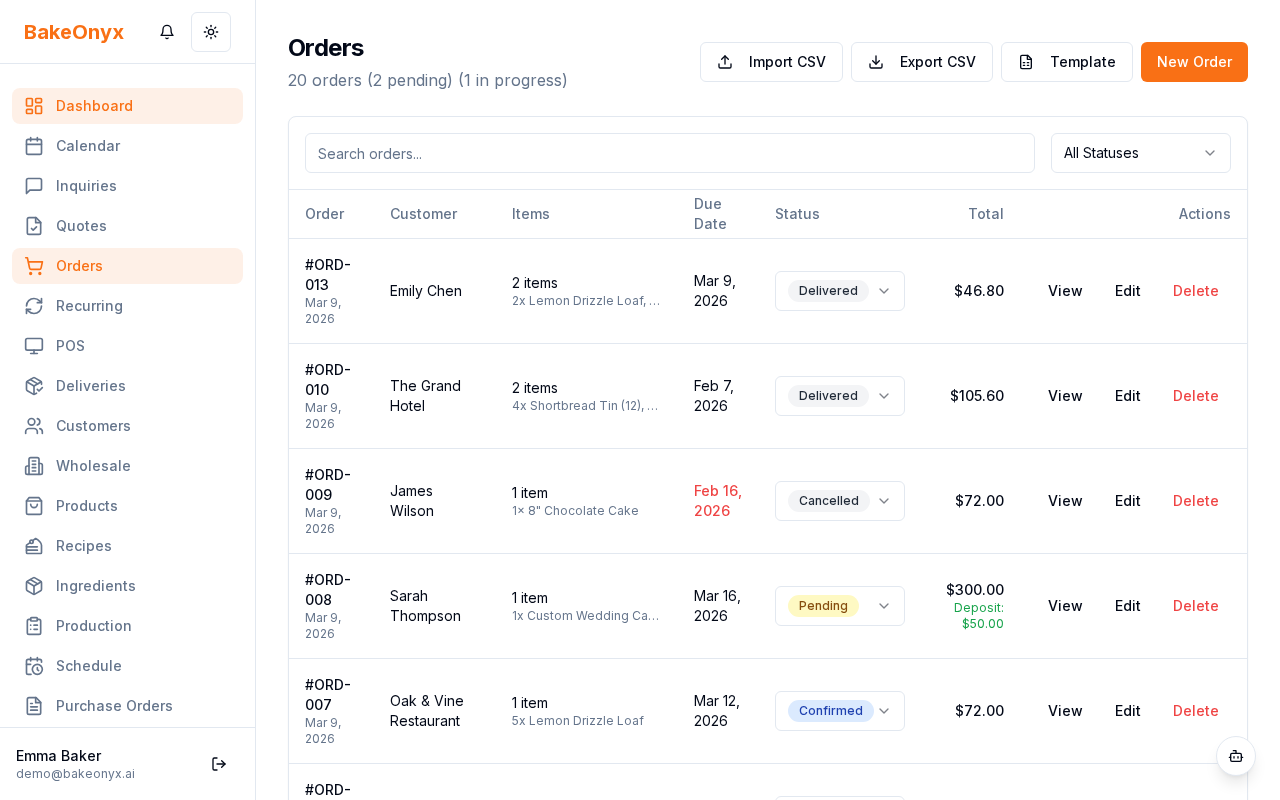
Once an order is placed online, it appears directly in your BakeOnyx dashboard.
- New Order Notification: You’ll see a notification, and the order will appear in your Orders list (
/dashboard/orders) with a status of "pending" and tagged as an online order. - Review Order: Click on the order to see all the details: items, quantities, any special customer instructions, delivery or pickup information, and the chosen time slot.
- Confirm Order: Once you've reviewed and accepted the order, click to Confirm it. The order status will change to "confirmed", and the customer will receive an email notification.
- Production: Confirmed orders automatically feed into your Production Schedule (
/dashboard/production), helping you plan your baking. - Mark as Ready: Once the order is baked and ready, update its status to "ready".
- Fulfill Order:
- For Delivery: Mark the order as "out_for_delivery" when it leaves your bakery, and finally as "delivered" once it reaches the customer.
- For Pickup: When the customer collects their order, mark it as "delivered".
- Payment: Since payment is processed online at checkout, there’s no need to handle cash or card payments in the bakery for these orders.
Key Concepts
- Time Slot Management: You have full control over when customers can order. Set your available delivery and pickup time slots, block out dates when you're closed (like holidays or vacations), and set cutoff times for orders (e.g., orders must be placed 24 hours before the delivery slot).
- Guest vs. Account Orders: Customers can check out as guests for a quick purchase or create an account to view their order history and speed up future checkouts. Remember, customer accounts for your online store are separate from your staff login for BakeOnyx.
What BakeOnyx Automates for You
- Matching customer addresses to your delivery zones and calculating fees.
- Checking time slot availability in real-time.
- Securely processing payments via Stripe or Square.
- Creating new orders directly in your dashboard.
- Notifying customers automatically about order status changes.
- Saving carts for logged-in customers and merging guest carts if they create an account later.
Next Steps
Now that you're familiar with the online ordering process, explore these related topics: