Quick Start: Home Baker (1-2 People)
A focused first-week guide for solo and home bakers — what to set up first and what to skip.
Quick Start: Home Baker (1-2 People)
- Set up your BakeOnyx account and complete essential business settings in your first day
- Add your most-used ingredients and create your signature recipes — the foundation for accurate costing
- Create your first order and set up your regular customers so you can start tracking sales immediately
Welcome to BakeOnyx
If you're a solo baker or work with one other person, you don't need all the features built for larger bakeries. This guide focuses on what matters most in your first week: getting recipes right, tracking orders, and knowing your costs. You'll skip the complexity of staff scheduling, multi-location setups, and wholesale portals — those aren't for you yet.
Week 1: Your Setup Checklist
Day 1: Complete Your Onboarding (30 minutes)
- Log in to BakeOnyx and go to Settings (gear icon in the top right)
- Fill out your Business Profile: bakery name, address, and phone number
- Set your Currency and Timezone so dates and prices are correct
- Add a profile photo if you like — this appears on customer-facing documents
- Review Notification Preferences (you can adjust these anytime)
That's it for Day 1. You're officially set up.
Days 2–3: Add Your Top Ingredients (1 hour)
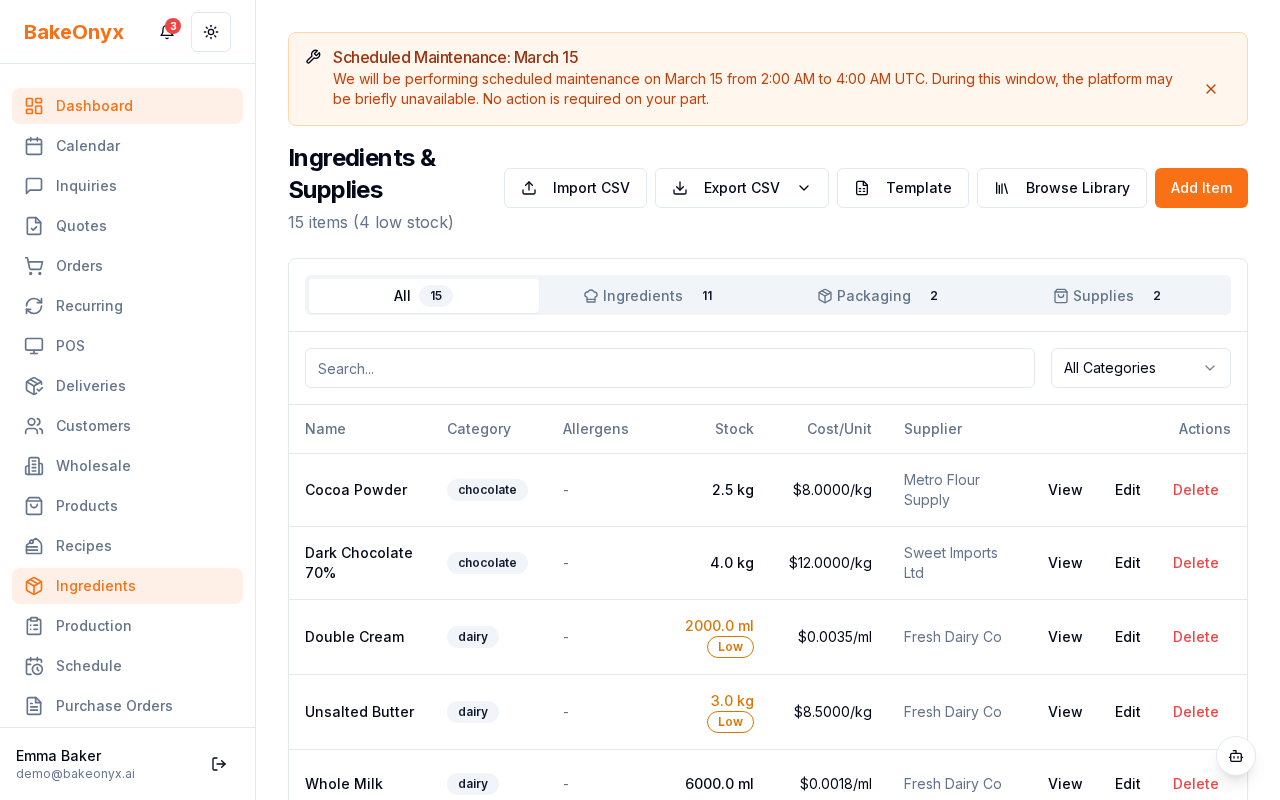
BakeOnyx comes with 80+ pre-configured baking ingredients already in the system, complete with typical costs. You don't need to add every ingredient you own — just the 10–20 you use most often.
- Go to Ingredients from the main menu
- Click Browse Master Library to see pre-loaded ingredients (flour, sugar, butter, eggs, baking powder, vanilla, etc.)
- Search for your staples and click Add to My Ingredients for each one
- Update the Cost per Unit for each ingredient based on what you actually pay (check a recent receipt if you're unsure)
- Save each ingredient
Days 3–4: Create Your Top 5 Recipes (2–3 hours)
This is the heart of BakeOnyx for home bakers. Once your recipes are in the system, every order automatically calculates your ingredient costs.
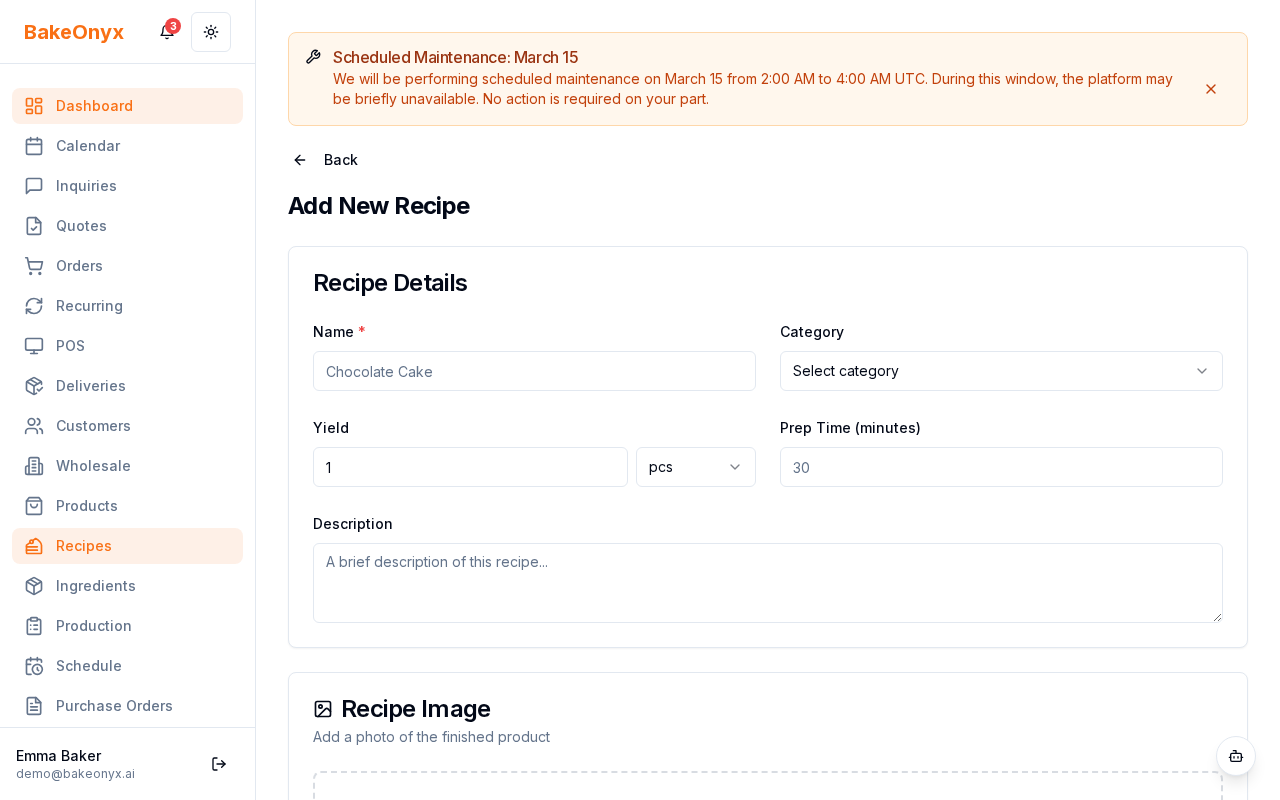
- Go to Recipes from the main menu
- Click Create New Recipe
- Enter the recipe name (e.g., "Chocolate Chip Cookie Dough")
- Add each ingredient: search for it, enter the amount used, and select the unit (grams, cups, etc.)
- Set the Yield — how many cookies, loaves, or servings this recipe makes
- Save the recipe
Start with your 5 signature items. You can add more recipes anytime.
Day 5: Create Your First Order (30 minutes)
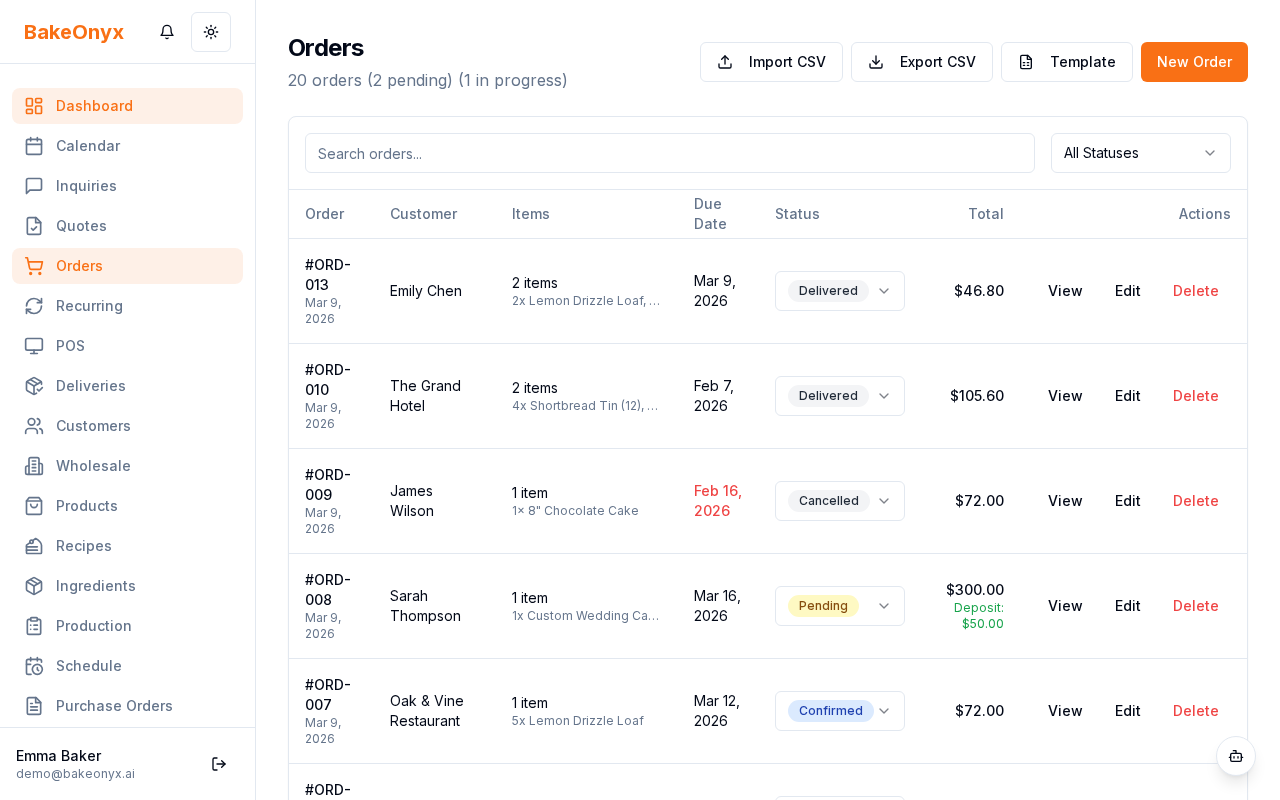
- Go to Orders from the main menu
- Click Create New Order
- Select a recipe from your list
- Enter the quantity and any custom notes (e.g., "extra sprinkles")
- Set the Order Date and Due Date
- Click Create Order
- From the order details, click Print Job Sheet — this is your baking checklist
Days 5–7: Add Your Regular Customers (30 minutes)
- Go to Customers from the main menu
- Click Add Customer
- Enter their name, email, and phone number
- Add any notes (e.g., "prefers chocolate over vanilla")
- Save the customer
Add 5–10 of your repeat customers. When you create an order, you'll select a customer from this list, and BakeOnyx will remember their preferences.
What to Skip (For Now)
These features are built for larger bakeries or different business models. You don't need them yet:
- Staff Scheduling — you're the baker
- Multi-Location — you have one kitchen
- Wholesale Portal — unless you sell to shops (that's a later upgrade)
- POS (Point of Sale) — unless you have walk-in customers (you can add this later)
- AI Agents — available on the Scale plan; not needed yet
Your Plan: Essentials ($29/month)
The Essentials plan includes everything you need right now:
- Unlimited recipes and orders
- Ingredient tracking and costing
- Customer management
- Basic AI features (recipe suggestions, cost optimization)
- Expense tracking
When you're ready to grow (more customers, online orders, recurring subscriptions), you can upgrade to Growth ($79/month), which adds an online store, purchase orders, delivery management, and a loyalty program.
Next Steps
- Creating a Recipe — detailed walkthrough for adding your second batch of recipes
- Creating a New Order — learn how to set up custom orders and print job sheets
- Quick Start: Bakery Shop (3-15 Staff) — if you're planning to hire soon, see what features you'll need