Sending and Receiving Messages
Reply to customers, understand the 24-hour messaging window, and manage unknown senders.
Replying from the inbox
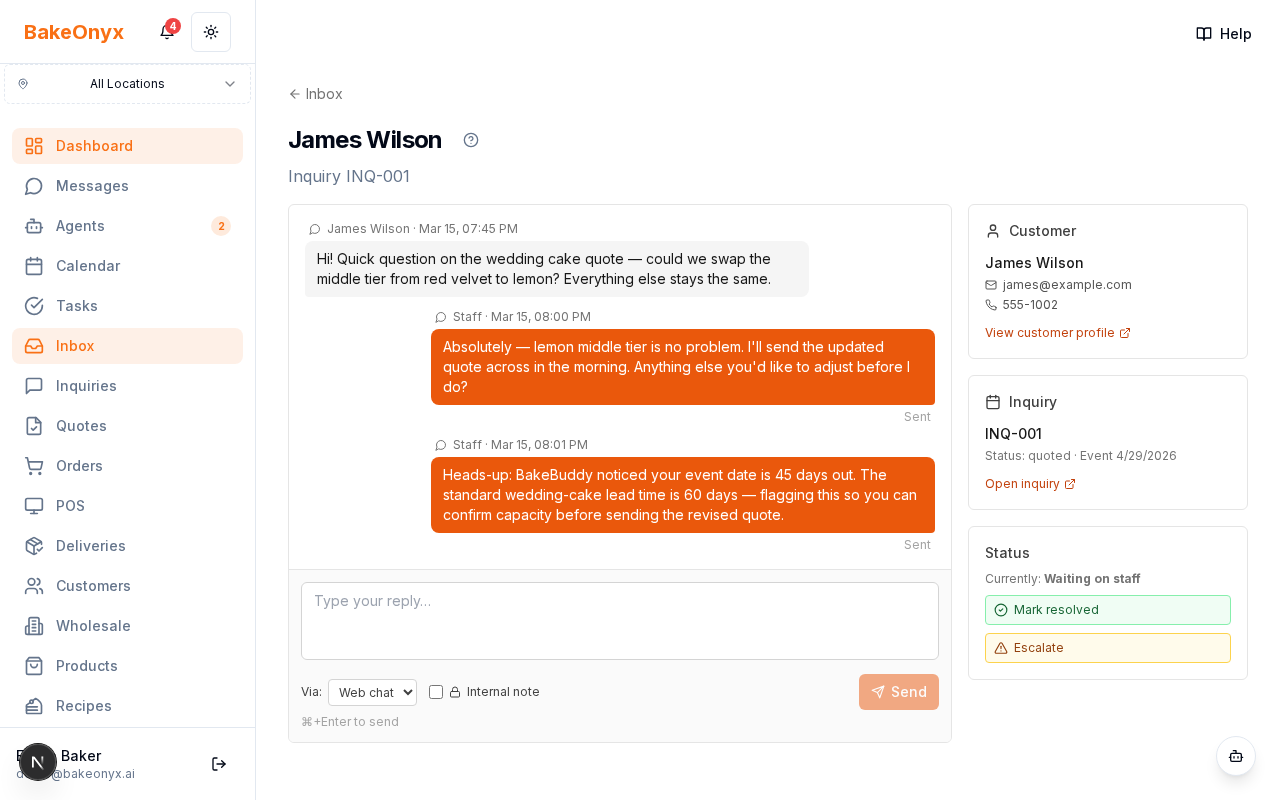
The unified Inbox shows all conversations across channels. Click a conversation to view the full thread, then reply in the composer at the bottom. (The old Messages screen has been retired.)
Choosing how the reply goes out
- Use the channel selector to choose WhatsApp, Messenger, or SMS.
- Use the internal-note toggle to leave a private note for your team that the customer never sees.
- Keyboard: Enter to send, Shift+Enter for a new line.
The 24-hour window
Both WhatsApp and Messenger enforce a 24-hour free-form messaging window — you can only reply within 24 hours of the customer's last inbound message. Outside the WhatsApp window, you can send pre-approved templates; outside the Messenger window, you must wait for the customer to message first. An amber warning banner appears when you're outside the window.
Unknown senders
Senders with no matching customer appear with a "New" badge — link them to a new or existing customer record so the conversation has context. Message statuses (sent, delivered, read, failed) are tracked automatically.
Content limits
- WhatsApp: 4096 characters
- Messenger: 2000 characters
- SMS: 1600 characters
Tip
Turn on AI draft replies (Settings → Agent Settings) to have a suggested reply waiting on each new message.