Creating Quotes
Build an itemised quote for a customer — standalone or from an inquiry — with pricing, deposit, validity, and notes.
What a quote is for
A quote is a formal, itemised price you send a customer before committing to an order — perfect for custom cakes, wedding orders, and corporate enquiries. Once the customer accepts, you convert it to an order in one click with everything carried over.
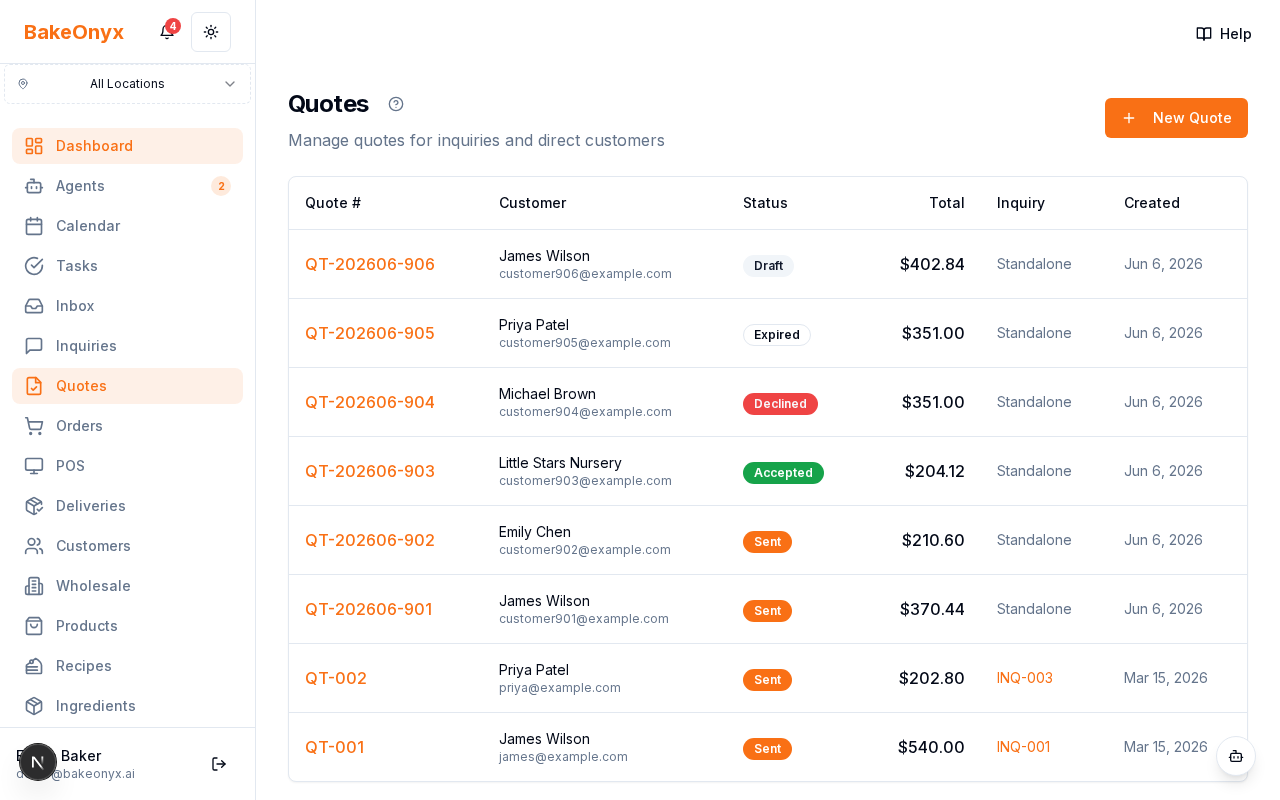
Two ways to create a quote
- Standalone — go to Quotes → New Quote (
/dashboard/quotes/new). Best for walk-ins, phone enquiries, or anyone without a prior inquiry. Enter the customer's name, email, and phone (or link an existing customer), plus the event date and type. - From an inquiry — open the inquiry and click Create Quote. The customer and event details pre-fill automatically, so you only add the items and pricing.
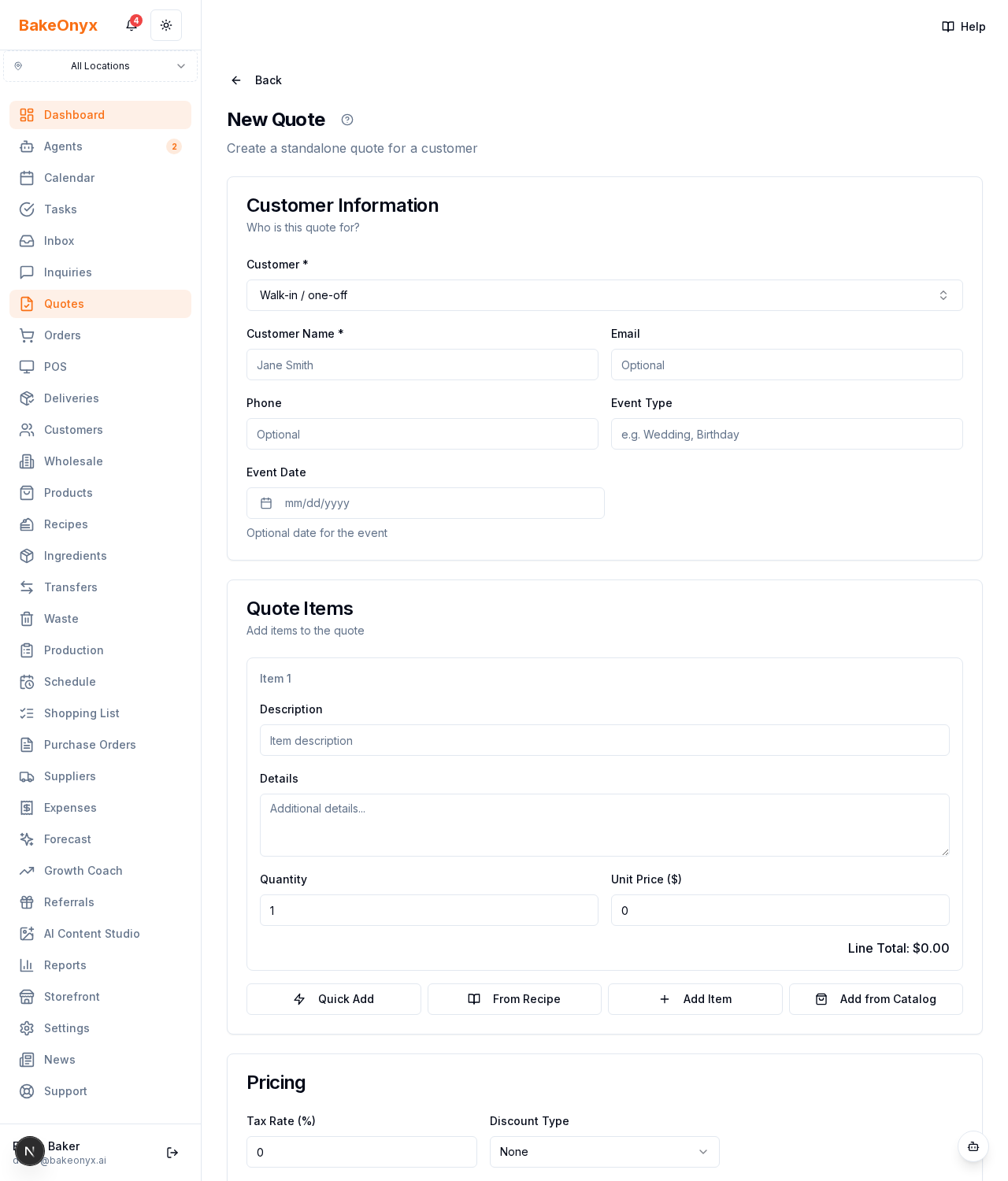
Adding line items
Each quote can mix several kinds of line items:
- Products — pick from your catalog (pulls the price and details)
- Recipe items — link a recipe so costing and servings come through
- Quick-add — a one-off priced on the spot
- Free text — a custom line you describe and price yourself
Every line has a quantity and a unit price; the subtotal updates as you go.
Pricing, deposit, and validity
- Tax — set the tax rate; totals recalculate automatically (VAT-inclusive pricing is supported).
- Discount — apply a percentage or fixed amount.
- Delivery — add a delivery cost line.
- Deposit — require a fixed amount or a percentage up front.
- Valid until — set an expiry date so stale quotes lapse automatically.
- Notes & terms — add a customer-facing note, internal notes (staff-only), and terms & conditions. You can also attach reference images.
Good to know
- Quote numbers are generated automatically as QT-YYYYMM-###.
- A new quote starts as a Draft — nothing is sent until you choose to send it.
Next steps
Was this article helpful?