Quote Workflow: Send, Accept & Convert to Order
Understand quote statuses and move a quote from draft to a confirmed order.
The quote lifecycle
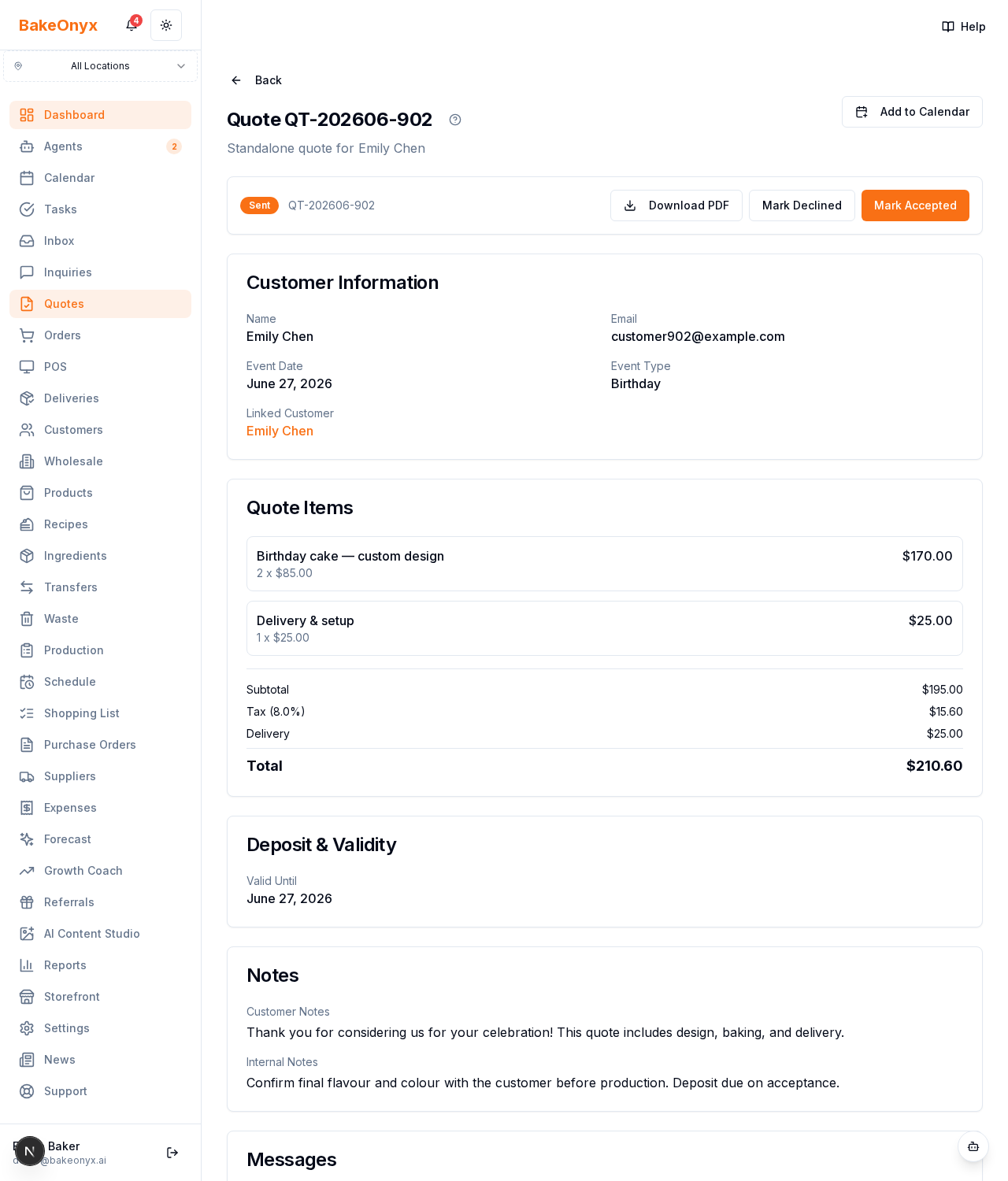
Every quote moves through clear statuses so you always know where it stands:
- Draft — you're still preparing it; only you can see it.
- Sent — emailed to the customer, awaiting their response.
- Accepted — the customer approved it (online or marked by you).
- Declined — the customer turned it down (with an optional reason).
- Expired — the valid-until date passed before a response.
Sending a quote
On the quote detail page (/dashboard/quotes/[number]) click Send. BakeOnyx generates a polished PDF and emails the customer a secure link to view and respond online. The quote moves to Sent, and if it came from an inquiry, that inquiry moves to Quoted. You can re-send or follow up at any time.
When the customer responds
The customer accepts or declines on their link — see Accepting Quotes Online. You get a notification and the status updates automatically. A decline reason (if given) is saved and feeds your Quotes report.
Converting to an order
Once a quote is Accepted, click Convert to Order. BakeOnyx creates a new order with:
- All line items, pricing, and the deposit carried over
- The customer linked (a customer record is created automatically if they're new)
- The due date set from the event date
The quote and any linked inquiry are marked converted, and the whole conversation history follows through to the order.
Editing & deleting
Draft quotes can be edited freely or deleted. Changes are tracked in the quote's edit history so you can see how a price evolved.