Accepting Quotes Online (Customer View)
What customers see on their quote link, and how they accept or decline without logging in.
A simple link — no login needed
When you send a quote, the customer receives a secure link (/quote/...) they can open on any device. There's nothing to install and no account to create — the link itself is the key.
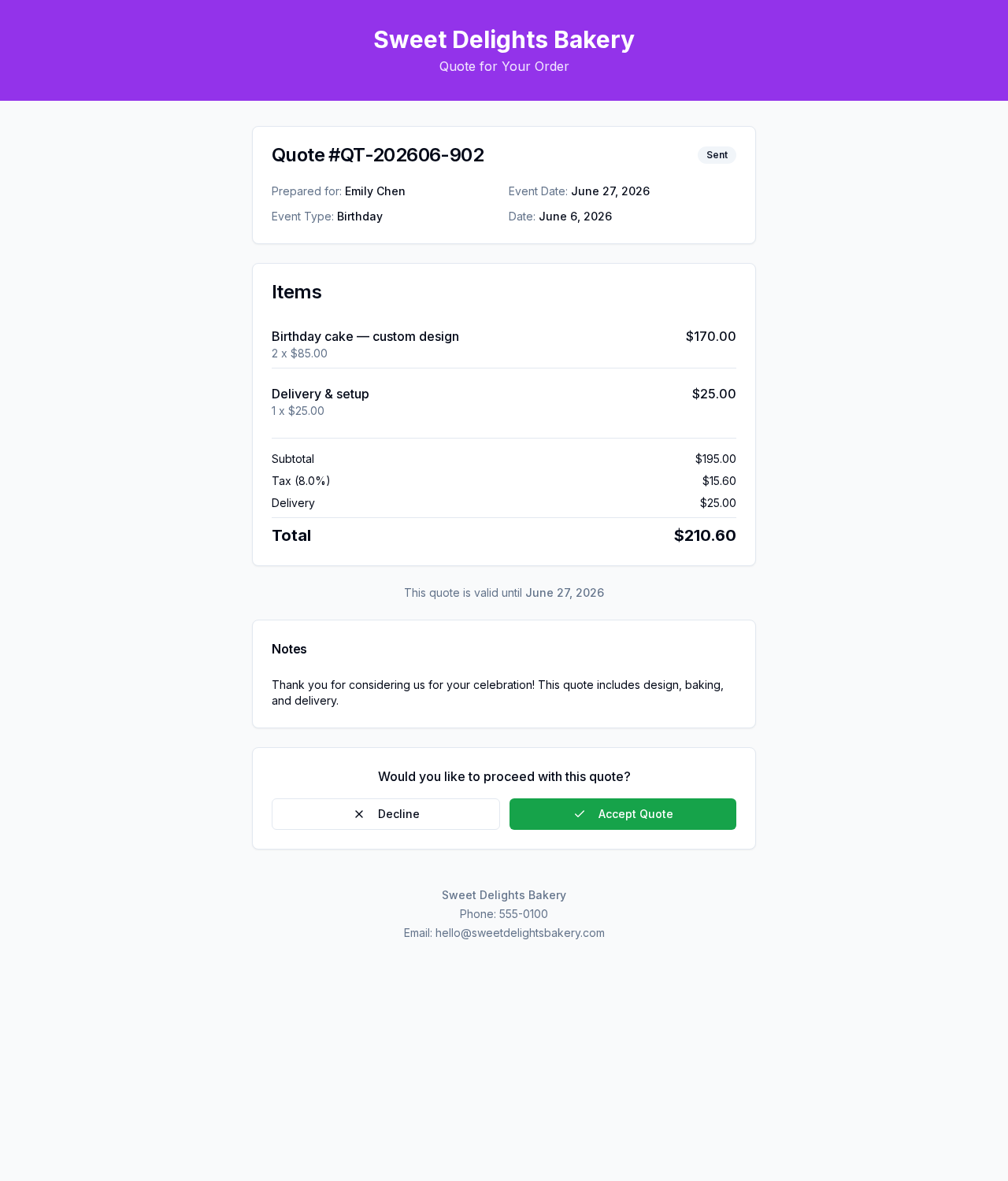
What the customer sees
- Your bakery branding at the top
- The full quote: itemised pricing, delivery, deposit, your notes, and terms
- A clear Accept or Decline action while the quote is still open
Accepting
The customer clicks Accept and confirms. The quote (and any linked inquiry) moves to Accepted, and you receive a notification — ready for you to convert it to an order.
Declining
The customer can Decline and optionally leave a reason. The reason is saved against the quote and rolls up into your Quotes report so you can learn what's costing you business.
Expired quotes
If the valid-until date has passed, the link shows an Expired notice and asks the customer to get in touch. You can always re-send an updated quote from the dashboard.