From Forecast to Production
How AI demand forecasting, production scheduling, par levels, and auto-reorder work together.
From Forecast to Production: How BakeOnyx Plans Your Daily Baking
- Understand how AI forecasting predicts customer demand and informs production planning
- Learn how par levels ensure you always have minimum stock, and how the scheduler balances forecast with par
- See the complete workflow from daily tasks through inventory deduction and automatic reordering
The Complete Production Pipeline
BakeOnyx automates your production planning by connecting five key steps: forecasting what customers will order, setting minimum production targets, scheduling daily tasks, tracking what you make, and automatically reordering ingredients. Here's how it all works together.
Step 1: AI Demand Forecast
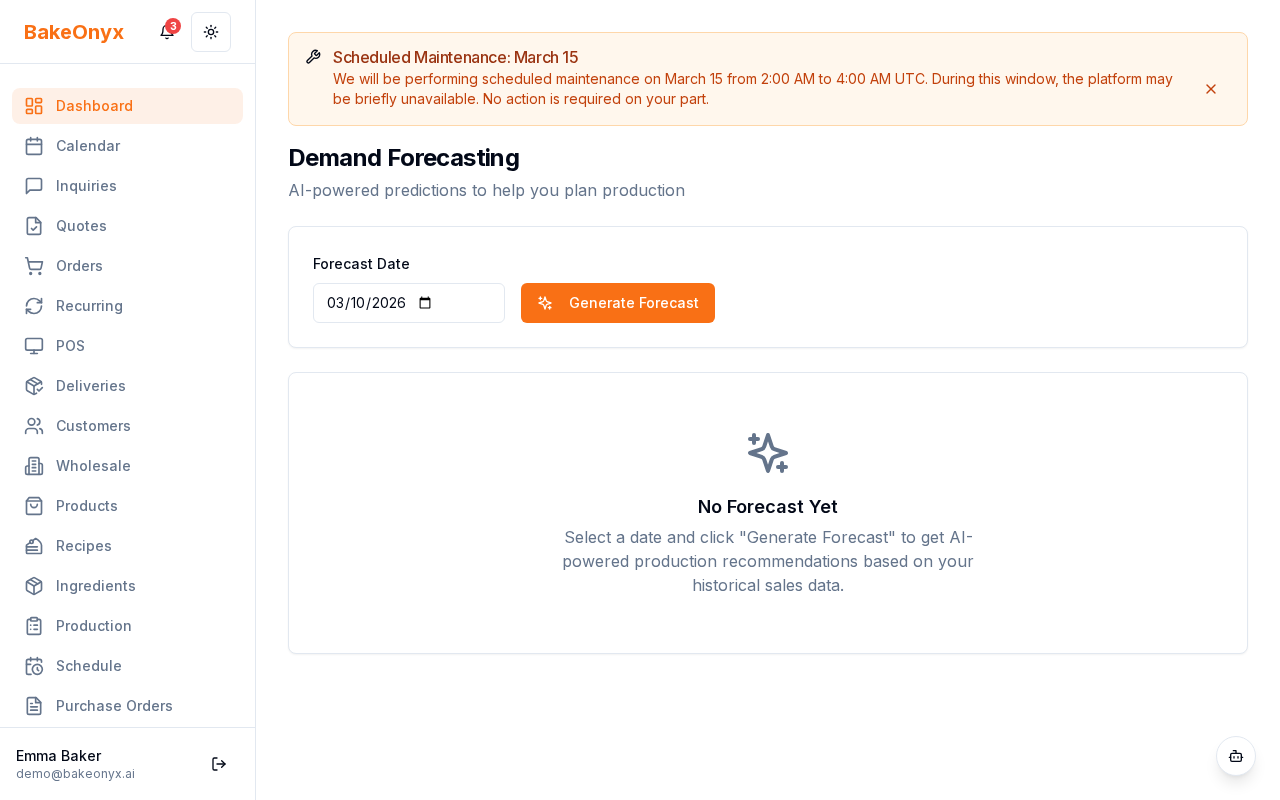
Your production day starts with a prediction. BakeOnyx analyzes your last 30+ days of order history, seasonal patterns, local weather, and upcoming events to forecast what customers will likely order.
- Go to /dashboard/forecast to view your demand forecast
- You'll see predicted quantities for each product, broken down by day
- The forecast updates daily and becomes more accurate over time as BakeOnyx learns your patterns
Step 2: Set Par Levels for Consistency
Par levels are your safety net. They define the minimum quantity you'll produce each day, regardless of what the forecast predicts. For example, you might decide to always bake at least 24 croissants on Saturdays, even if the forecast predicts lower demand.
- Go to /dashboard/production and click the Par Levels tab
- Select a product from your menu
- Set the minimum quantity for each day of the week
- Click Save
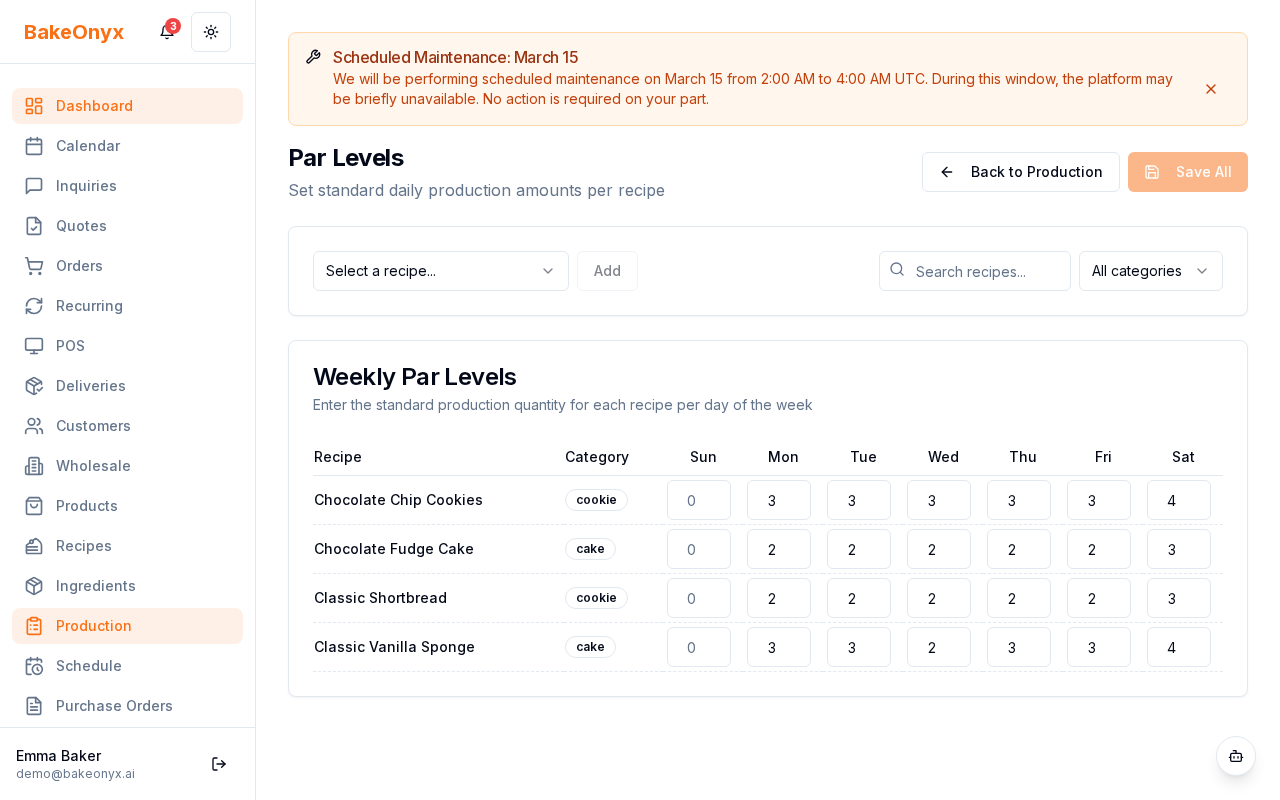
The production scheduler always uses the higher value: either the forecast prediction or your par level. This ensures you never fall below your minimum while still scaling up when demand is expected to be high.
Step 3: Production Schedule Is Generated
Once you have a forecast and par levels set, the AI Production Scheduler (Professional+ tier) creates your daily production plan. It considers:
- Forecast predictions and par levels
- Confirmed customer orders already in the system
- Equipment capacity (grouping recipes by oven temperature)
- Staff skills and availability
- Prep and baking times for each recipe
The scheduler sequences tasks in the most efficient order and assigns them to team members. You get a realistic, doable plan for the day.
Step 4: Staff Execute Tasks
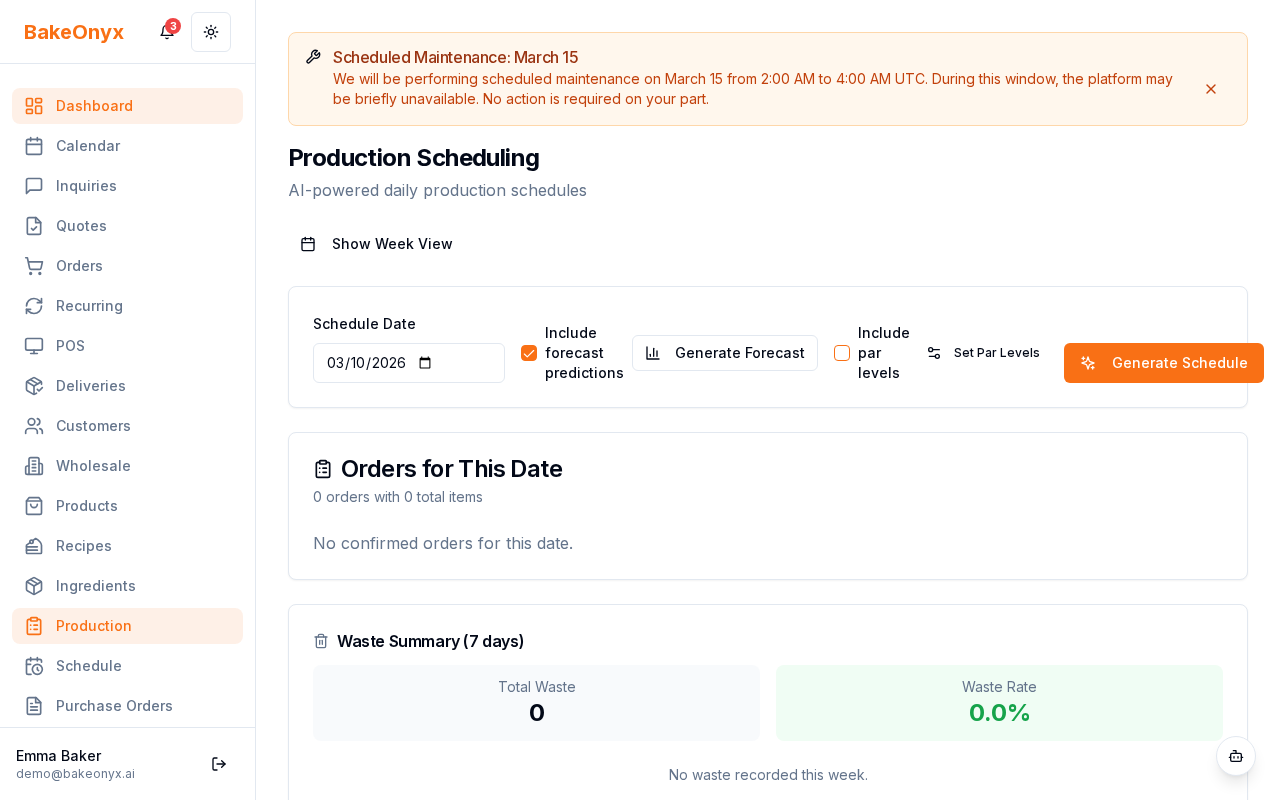
Your bakers see their daily tasks on the production dashboard:
- Go to /dashboard/production
- View today's task list with recipes, quantities, and time estimates
- Each task card shows scaled ingredients for the forecasted batch size
- As items come out of the oven, mark the task Complete
Step 5: Inventory Is Deducted Automatically
When a task is marked complete, BakeOnyx prompts you to confirm ingredient deduction:
- Review the ingredients that will be deducted from stock
- Click Confirm Deduction
- Stock levels update automatically
Step 6: Auto-Reorder Keeps You Stocked
As ingredients are used, BakeOnyx monitors stock levels. When an ingredient falls below its reorder point—or when the AI predicts it will—a draft purchase order is automatically created:
- Go to /dashboard/inventory and check for draft purchase orders
- Review the suggested order quantities and supplier
- Click Send Order to place it with your preferred supplier
- When stock arrives, mark the order received to replenish inventory
This closes the loop: your forecast drives production, production uses ingredients, and ingredient use triggers reordering. You stay stocked without manual tracking.
Putting It All Together
The full cycle works like this:
Forecast → Par Levels → Production Schedule → Task Execution → Inventory Deduction → Auto-Reorder → Stock Replenished
Each step feeds into the next, creating a seamless flow from prediction to production to replenishment. Over time, as BakeOnyx learns your patterns, the forecast gets smarter, your schedule becomes more efficient, and you waste less while always meeting customer demand.
Next Steps
- Creating a Recipe — Set up recipes so the scheduler knows prep and baking times
- Adding and Managing Ingredients — Configure ingredients and reorder points for auto-reordering
- Using the Calendar — Mark special events and holidays that affect demand forecasting