Bakery Delivery Route Planner: Optimize Routes & Hit Time Windows
Stop wasting time planning routes by hand. BakeOnyx's Delivery Route Planner automatically orders your daily stops, respects customer time windows, and prints run sheets for each driver.
Quick answer
BakeOnyx's Delivery Route Planner automatically orders your daily deliveries into efficient routes that respect customer time windows, then prints clear run sheets for each driver—eliminating manual planning, missed windows, and wasted fuel.
Bakery Delivery Route Planner: Optimize Routes & Hit Time Windows
Every morning, your drivers face the same challenge: mentally map out 15, 20, or 30 stops across town, trying to remember which café needs their delivery by 7 a.m. and which shop closes at 5 p.m. One missed window means an unhappy customer. A wrong turn wastes fuel and time. And without a printed route, drivers rely on memory, phone maps, and guesswork.
For bakery owners, this inefficiency adds up fast—lost revenue from missed deliveries, extra labor hours spent replanning, and drivers frustrated by unclear expectations.
BakeOnyx's Delivery Route Planner removes that daily headache. It takes your scheduled deliveries for the day, automatically orders them into efficient routes that respect each customer's time window, and prints a clear run sheet for every driver before they leave the bakery.
The Problem: Manual Route Planning Costs Time and Revenue
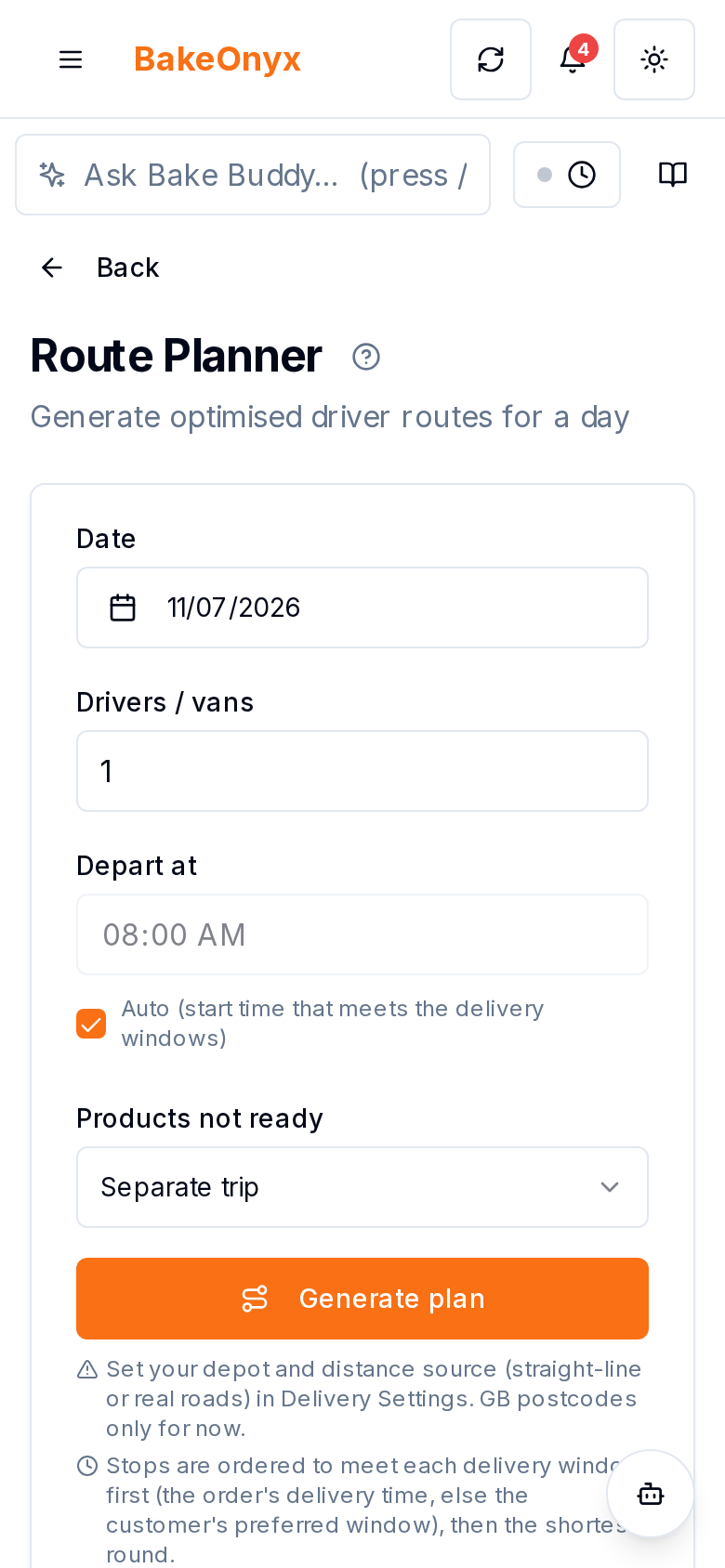
Small and mid-sized bakeries often manage deliveries the old way: a spreadsheet, a phone call, or worse, a driver's memory. This approach creates three persistent pain points:
Drivers planning routes in their heads. Without a structured route, drivers waste time deciding where to go next. They backtrack, zigzag across town, and burn fuel on inefficient paths. Meanwhile, they're stressed about whether they're hitting stops in the right order.
Missed delivery windows. Bakery customers—coffee shops, restaurants, hotels, retail stores—depend on on-time delivery. A missed 7 a.m. window means the café can't serve fresh pastries to morning customers. A late 5 p.m. drop-off means a locked door. Missed windows damage relationships and can cost you accounts.
No printed run sheet. When a driver leaves the van without a clear, printed route, they're flying blind. They call the office with questions. They take wrong turns. They forget stops. A run sheet is the backbone of reliable delivery execution.
BakeOnyx's Delivery Route Planner solves all three.
How It Works
Step 1: Load Your Day's Deliveries
Start your morning by viewing all scheduled deliveries in BakeOnyx for the day. The system shows you every stop—customer name, address, delivery items, and time window (e.g., "between 7:00 a.m. and 8:30 a.m."). You don't need to manually enter anything; your delivery schedule is already there.
Step 2: Generate Optimized Routes
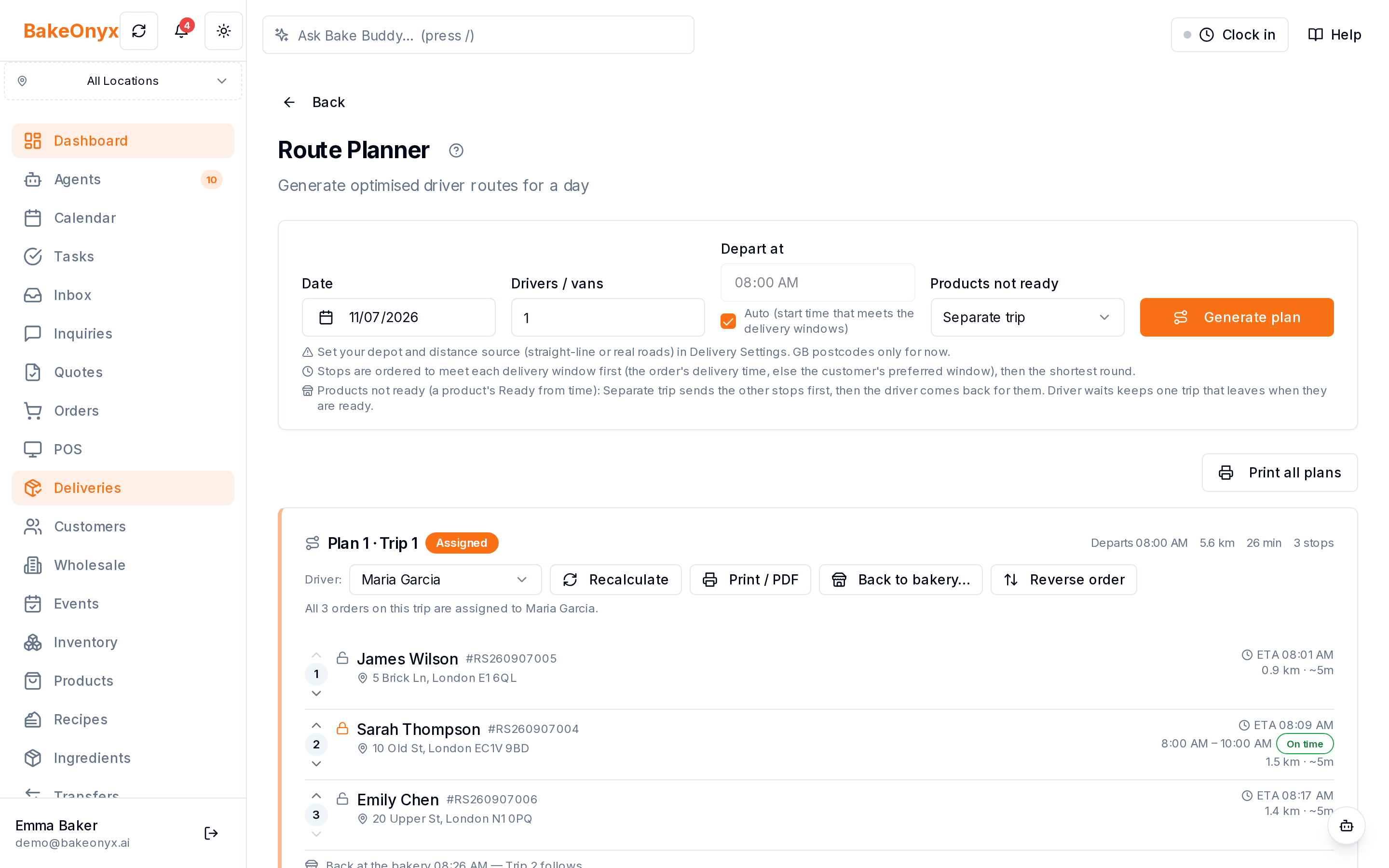
Click to generate routes. BakeOnyx's Delivery Route Planner automatically groups deliveries into efficient sequences that respect each customer's time window and minimize travel distance. The system considers your bakery's location, customer locations, and delivery time requirements—so routes are realistic and drivable.
You can create one route for a single driver, or multiple routes if you have several delivery vehicles heading out that day.
Step 3: Review and Adjust
Once routes are generated, you see each route as an ordered list of stops, with the arrival time, the distance and an "On time" badge for each delivery window. To change a route before you print it, move a stop up or down, lock a stop in its place, or reverse the whole route. If the van must reload, add a "back to the bakery" stop to split the round into two trips.
Step 4: Assign Routes to Drivers
Assign each route to the driver who will handle it. BakeOnyx records who is responsible for which stops, so there's accountability and clarity.
Step 5: Print Run Sheets
Print a run sheet for each driver. The sheet lists stops in order, shows each customer's address, delivery time window, and items to drop off. Drivers take the printed sheet with them—no phone required, no guessing, no callbacks to the office.
When drivers follow the printed route, they hit time windows, save fuel, and complete deliveries faster.
Why This Matters for Your Bottom Line
Fewer missed deliveries. Routes are built around time windows, so drivers know exactly when each stop needs to happen. Customers get their fresh goods on schedule.
Less wasted time and fuel. Optimized routes cut unnecessary driving. Drivers spend less time behind the wheel and more time delivering. Your fuel and vehicle costs drop.
Clearer driver accountability. A printed run sheet is proof of the plan. Drivers know what to do, and you know what they're supposed to do. Miscommunication shrinks.
Faster morning handoff. Instead of spending 15 minutes explaining the day's route to each driver, you print and hand them a sheet. They're out the door faster.
A Practical Example
Imagine you have 18 deliveries scheduled for Tuesday morning. Without a route planner, your lead driver spends 10 minutes trying to figure out the best path. They start at the wrong end of town, miss a 7:30 a.m. delivery window at a hotel, and call back to ask if he should skip a stop or come back later. You lose the hotel order and burn time on the phone.
With BakeOnyx's Delivery Route Planner, you generate routes in seconds. The system groups those 18 stops into two efficient routes—one heading north, one heading south—each respecting time windows. You print two run sheets, hand them to your drivers, and they're gone. Both routes complete on time. No missed windows. No phone calls. No wasted fuel.
Getting Started
The Delivery Route Planner works best when your delivery schedule is up to date in BakeOnyx and each customer has a time window set. If you're already using BakeOnyx to manage orders and deliveries, the feature is ready to use. If you're not yet on the platform, a free trial will show you how it streamlines your entire delivery operation—from order to route to run sheet.
Start a free trial today and see how much time your team can save with smarter, faster delivery planning.
The summary, FAQ, and statistics in this section were compiled from public sources and reviewed by the BakeOnyx editorial team. AI-assisted research.
Frequently Asked Questions
How does the Delivery Route Planner know which stops to prioritize?▾
The planner uses each customer's delivery time window (e.g., 7:00–8:30 a.m.) and physical location to build routes that respect deadlines while minimizing travel distance. You can manually adjust routes if needed before printing.
Can I adjust a route after it's generated?▾
Yes. You can move stops up or down, lock a stop in its place, reverse the whole route, change the driver, or add a "back to the bakery" stop to split the round into two trips. Then print the run sheet.
Do I need multiple vehicles to use the route planner?▾
No. The Delivery Route Planner works for one vehicle or many. If you have one driver, it creates one optimized route. If you have three drivers, it can generate three separate routes.
What happens if a customer's time window can't be met?▾
The planner orders stops to meet each delivery window first. If a stop will still arrive after its window, it shows a Late badge, so you can change the order, start earlier, or contact the customer.
Do drivers need a smartphone or internet to follow a route?▾
No. The route is printed as a run sheet, so drivers have a physical document. This eliminates dependency on phone signal and battery and keeps the workflow simple.
BakeOnyx Team
Contributing writer at BakeOnyx. Covering bakery business management, recipe costing, and baking industry trends.
Related Posts
Staff Holiday Requests: Approve Time Off in One Tap
Stop losing holiday requests in text messages. BakeOnyx Staff Holiday Requests lets employees request time off from their phone while managers approve instantly—and your rota updates automatically.
Bakery Staff Time Clock App: Clock In From Any Device
Stop chasing paper timesheets and manually adding hours. BakeOnyx Staff Time Clock lets your team clock in from any device, and calculates weekly pay automatically.
Baker's Summary: Print One Sheet, Bake Everything Daily
Stop adding up order tickets by hand. BakeOnyx's Baker's Summary prints one sheet with every product to bake today, totalled across all orders.
Related Product Guides
Explore Related Features
Ready to get your time back?
Join hundreds of baking businesses using BakeOnyx to manage orders, recipes, and inventory.
Start Your Free Trial