Baker's Summary: Print One Sheet, Bake Everything Daily
Stop adding up order tickets by hand. BakeOnyx's Baker's Summary prints one sheet with every product to bake today, totalled across all orders.
Quick answer
BakeOnyx's Baker's Summary is a single printable sheet showing every product you need to bake today, with totals automatically calculated across all wholesale and retail orders. It eliminates manual math, unifies order lists, and keeps your bake team working from current data.
Stop Adding Up Order Tickets by Hand
Every morning, your bake team gathers around a pile of order tickets. Someone pulls out a calculator. Someone else grabs a pen. You're adding croissants from the 6 a.m. wholesale order, plus the croissants from three separate retail orders, plus the croissants that came in at 11 p.m. last night. By the time you have a real number, fifteen minutes have passed—and there's a good chance the math is wrong.
Then there's the wholesale list, which lives on a different printout. And the retail orders, which are scattered across email and your order form. Your bake team ends up working from multiple sheets, some of which got printed yesterday and are already out of date.
This workflow costs you time, introduces errors, and leaves your bake team without a single source of truth for what needs to happen today.
The Baker's Summary Solves This
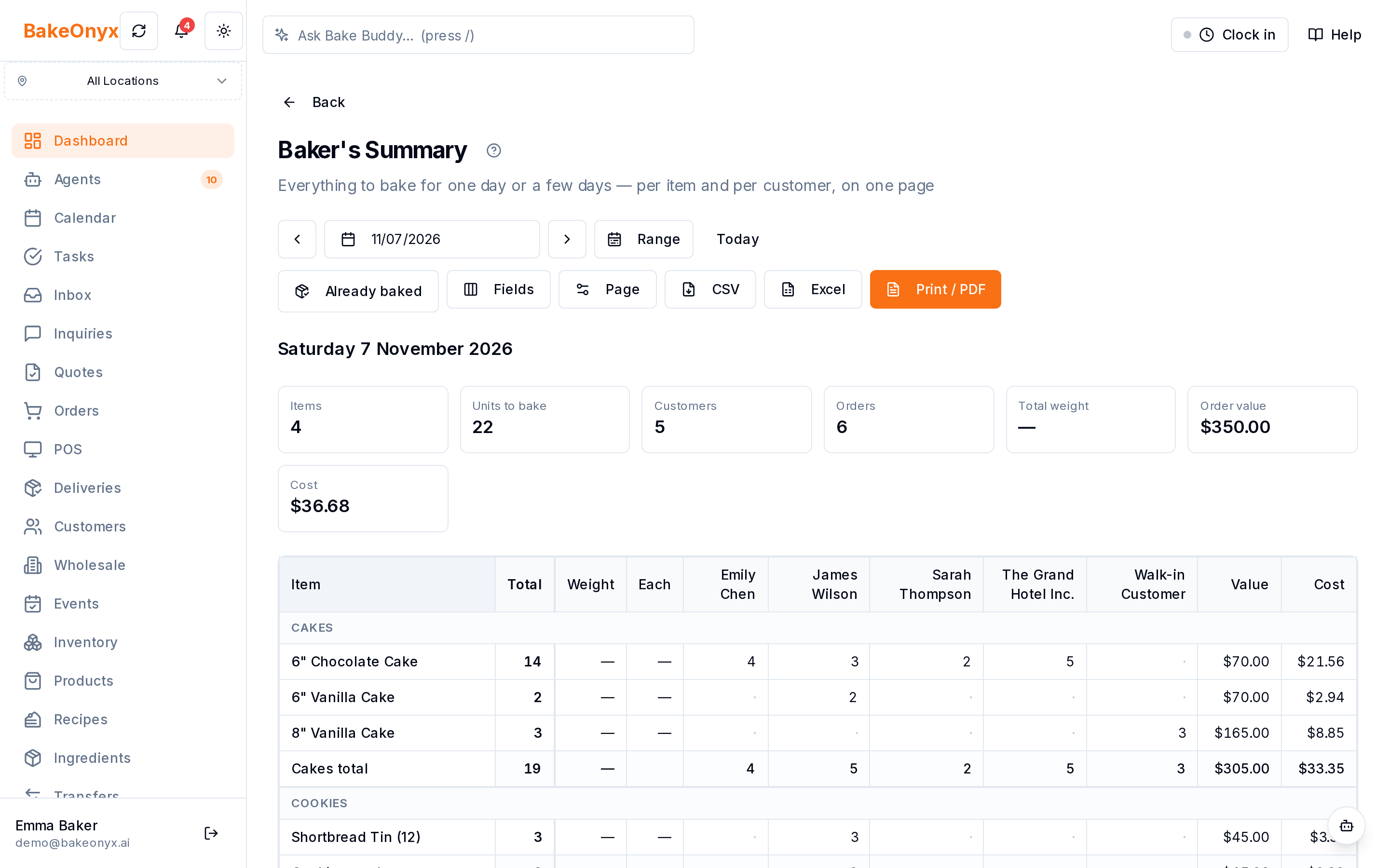
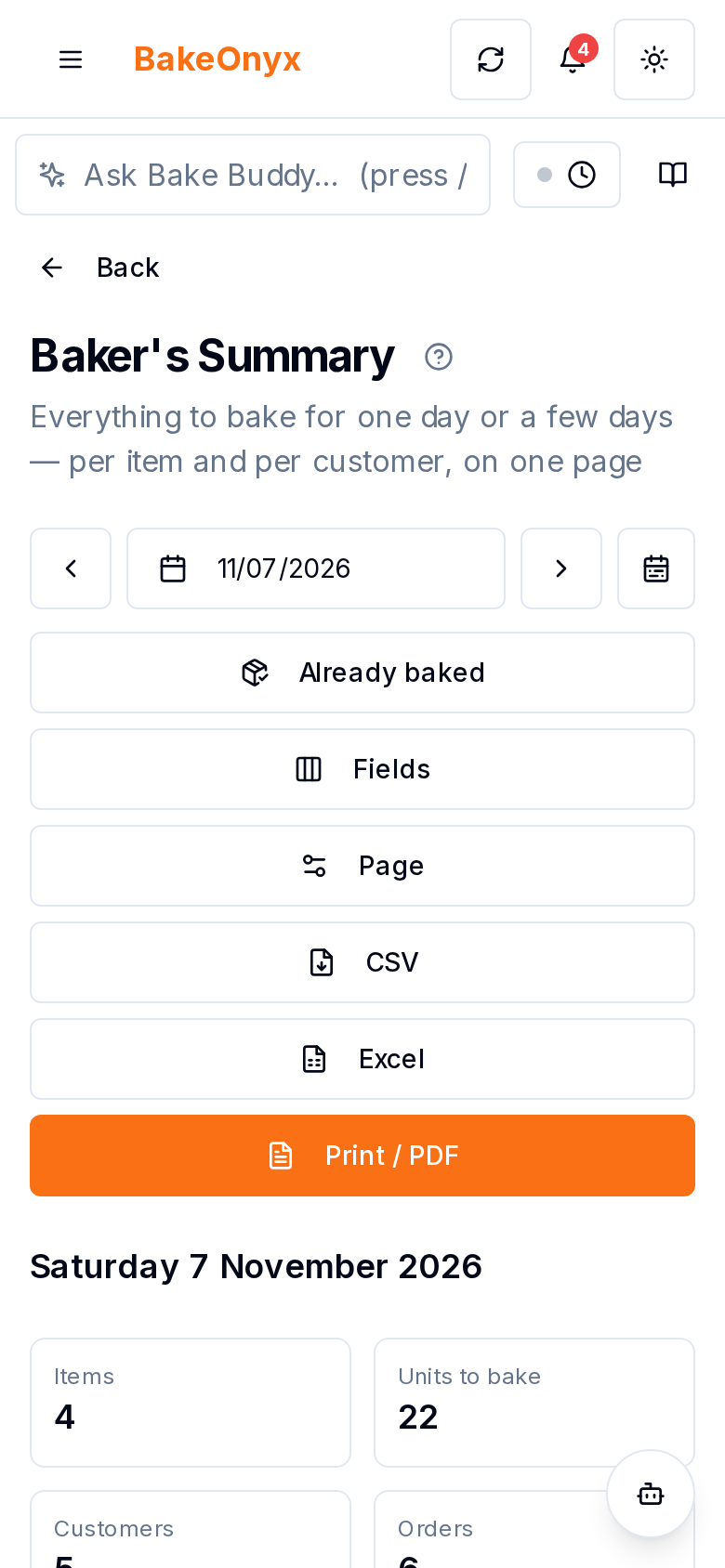
BakeOnyx's Baker's Summary is a single printable sheet that shows every product you need to bake today, with totals automatically calculated across all orders—wholesale, retail, and everything in between. No manual math. No multiple lists. No outdated printouts.
You print it once each morning, hand it to your bake team, and they have everything they need.
How It Works
Step 1: Orders Flow Into BakeOnyx
Throughout the day and night, orders come in through your online store, your wholesale customers, or orders you enter yourself. Each order is logged with its products, quantities and customer. BakeOnyx holds all of this data in one place.
Step 2: Access the Baker's Summary
At the start of your bake day, open BakeOnyx and navigate to the Baker's Summary. The feature automatically pulls in all orders scheduled for today—no manual selection needed. You see every product across every order, organized by item.
Step 3: Review Totals at a Glance
The summary shows you the total quantity of each product you need to bake. If you need 24 croissants today (whether that's 12 from a wholesale order, 8 from a retail customer, and 4 from another order), the Baker's Summary shows "24 croissants"—not three separate line items. The math is done for you.
Step 4: Print and Hand to the Bake Team
Print the Baker's Summary directly from BakeOnyx, or export it as Excel or CSV. It's a clean, organized sheet designed to be read quickly in a busy bakery. Give it to your bake team, and they have their marching orders for the day.
Step 5: Update as Orders Change
If a new order comes in after you print, you can reprint the updated summary—and it will reflect the new totals instantly. Your bake team always has the current, accurate picture.
Why This Matters
Eliminates manual math errors. Adding up totals by hand is fast—until it's wrong. A miscounted batch of sourdough loaves means you're either short for a customer or you've baked too much. The Baker's Summary calculates totals automatically, removing the human error from the process.
Unifies wholesale and retail orders. You no longer need separate lists for wholesale and retail. Everything is on one sheet, organized by product. Your bake team sees the full picture of what's needed, regardless of order source.
Keeps your team working from current data. Old printouts go stale the moment a new order arrives. The Baker's Summary is always up to date. If you reprint it, your team gets the latest numbers—no guessing about whether that last order made it in.
Saves time in the morning. Instead of spending 10–15 minutes hunting for tickets and calculating totals, you print one sheet and hand it over. That's time your bake team spends actually baking.
Real Bakery Example
Consider a small wholesale and retail bakery that takes orders through their website, email, and phone. On a typical morning:
Without Baker's Summary: The owner collects order tickets, separates them into piles, and manually adds up quantities for each product. Croissants appear on four different tickets. Sourdough appears on six. By the time the totals are written down, it's 6:15 a.m., and the bake team is waiting. One number gets written down wrong. Later, a customer calls—they're one dozen short.
With Baker's Summary: The owner opens BakeOnyx at 5:45 a.m., clicks Baker's Summary, and prints. The sheet shows "48 croissants, 32 sourdough loaves, 16 focaccia." The bake team has it in their hands by 5:50 a.m. and starts work immediately. No math. No mistakes. No delays.
Who Benefits Most
The Baker's Summary is most valuable for bakeries that:
- Take orders from multiple channels (website, email, phone, wholesale partners)
- Bake for both wholesale and retail customers
- Need accuracy and speed in production planning
- Want to reduce manual work in the morning routine
Even small bakeries with just a few orders a day benefit from having one clear, printed list instead of hunting through tickets.
Get Started
If your bake team currently works from multiple order lists or spends time adding up totals by hand, the Baker's Summary is designed for you. It's part of BakeOnyx's core production planning tools.
Start a free trial of BakeOnyx today and see how much time you save on your first morning using the Baker's Summary. No credit card required.
The summary, FAQ, and statistics in this section were compiled from public sources and reviewed by the BakeOnyx editorial team. AI-assisted research.
Frequently Asked Questions
Does the Baker's Summary include orders from all my sales channels?▾
Yes. The Baker's Summary pulls in all orders entered into BakeOnyx for the selected day, regardless of whether they came from your website, email, phone, or manual entry. It combines wholesale and retail orders into one totaled list.
What if a new order arrives after I print the Baker's Summary?▾
You can reprint the Baker's Summary at any time, and it will reflect the updated totals instantly. This ensures your bake team always has the current numbers if orders change throughout the morning.
Can I customize what appears on the Baker's Summary?▾
Yes. Use Fields to choose the columns (for example weight, value and cost), Page to set the print layout, and pick one day or a date range. You can also export it to Excel or CSV.
Does the Baker's Summary replace my order tickets?▾
The Baker's Summary is a production totals sheet for your bake team. Order tickets and detailed customer information remain available in BakeOnyx for reference, fulfillment, and customer service.
How early should I print the Baker's Summary?▾
Print it as close to your bake start time as possible. This ensures your team has the most up-to-date totals. Many bakeries print it 15–30 minutes before production begins.
BakeOnyx Team
Contributing writer at BakeOnyx. Covering bakery business management, recipe costing, and baking industry trends.
Related Posts
Boost Bakery Sales: Master Your Holiday Pre-Order Strategy
Unlock peak holiday sales by optimizing your bakery's pre-order strategy. Learn how to streamline processes, manage demand, and delight customers with essential tips.
Bakery Delivery Route Planner: Optimize Routes & Hit Time Windows
Stop wasting time planning routes by hand. BakeOnyx's Delivery Route Planner automatically orders your daily stops, respects customer time windows, and prints run sheets for each driver.
Bake by Time: Fresh Orders Ready When Customers Pick Up
Stop baking everything at once. BakeOnyx's Bake by Time feature shows you exactly what to bake and pull for each pickup and delivery window, so every order arrives fresh and on time.
Related Product Guides
Explore Related Features
Ready to get your time back?
Join hundreds of baking businesses using BakeOnyx to manage orders, recipes, and inventory.
Start Your Free Trial