Managing Tasks
Track everything that needs doing across your orders — pending, in progress, overdue, and done — in one list.
Nothing slips through
The Tasks page is a single list of the work tied to your orders, so the day's jobs don't fall through the cracks when things get busy.
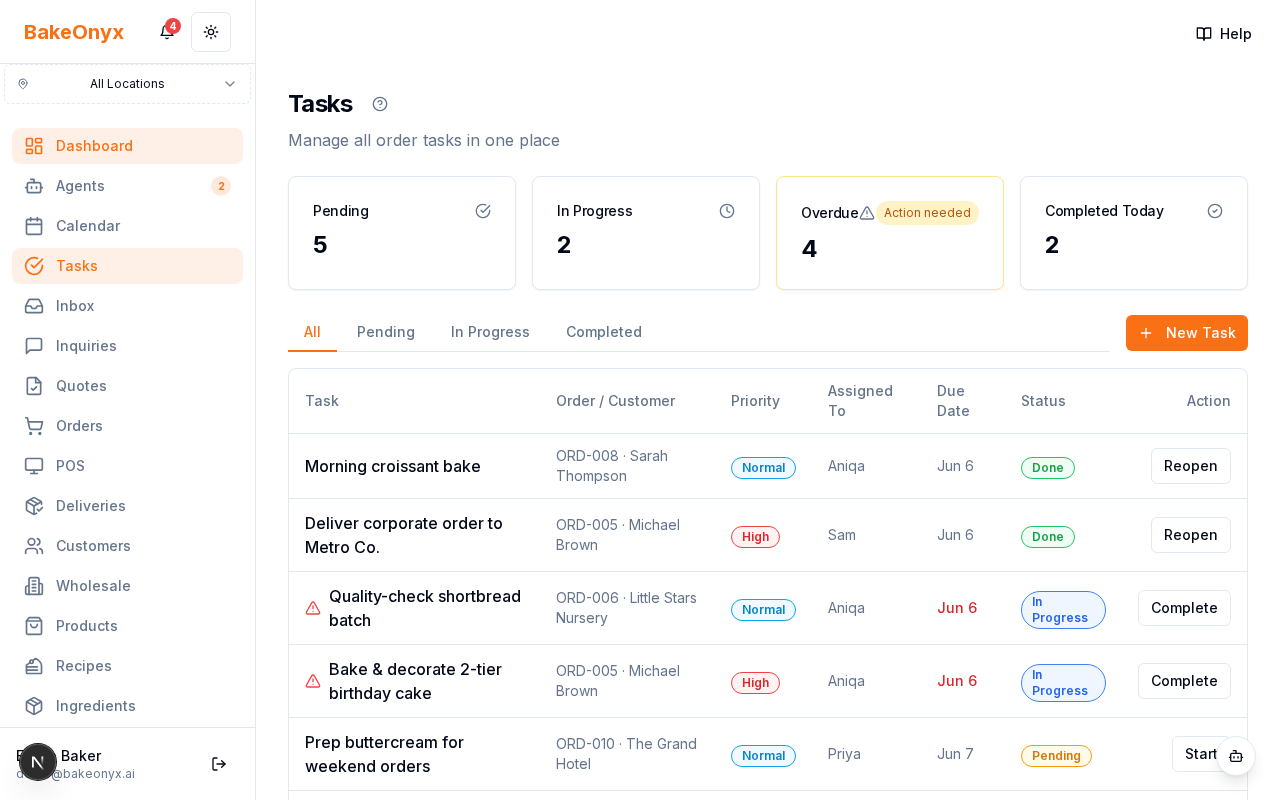
The stat cards
At the top you see counts for Pending, In Progress, Overdue, and Completed Today. Overdue is the one to watch.
Working the list
- Start the day on this page and clear anything Overdue.
- Assign the rest to team members.
- Mark tasks In Progress and Complete as you work down the list.
Tasks keep multi-step orders — bake, decorate, pack, deliver — moving in order.
Who sees what
Owners and managers see everything; staff see the tasks assigned to them.
Next steps
Was this article helpful?