Multi-Location Bakery Inventory Transfers: Keep Stock Accurate
Move stock between bakery locations with a complete audit trail. BakeOnyx Inventory Transfers eliminate guesswork and keep every site's counts accurate.
Quick answer
BakeOnyx Inventory Transfers logs every stock movement between your bakery locations with a timestamp and audit trail, keeping each site's inventory accurate and eliminating the guesswork of hidden transfers.
Multi-Location Bakery Inventory Transfers: Keep Stock Accurate Across All Sites
Running a multi-location bakery means juggling inventory across kitchens, retail counters, and satellite shops. When one location runs low on sourdough starter and another has excess, you need to move stock fast. But without a clear system, those transfers become invisible—and your inventory records fall apart.
The Problem: Hidden Transfers Break Your Counts
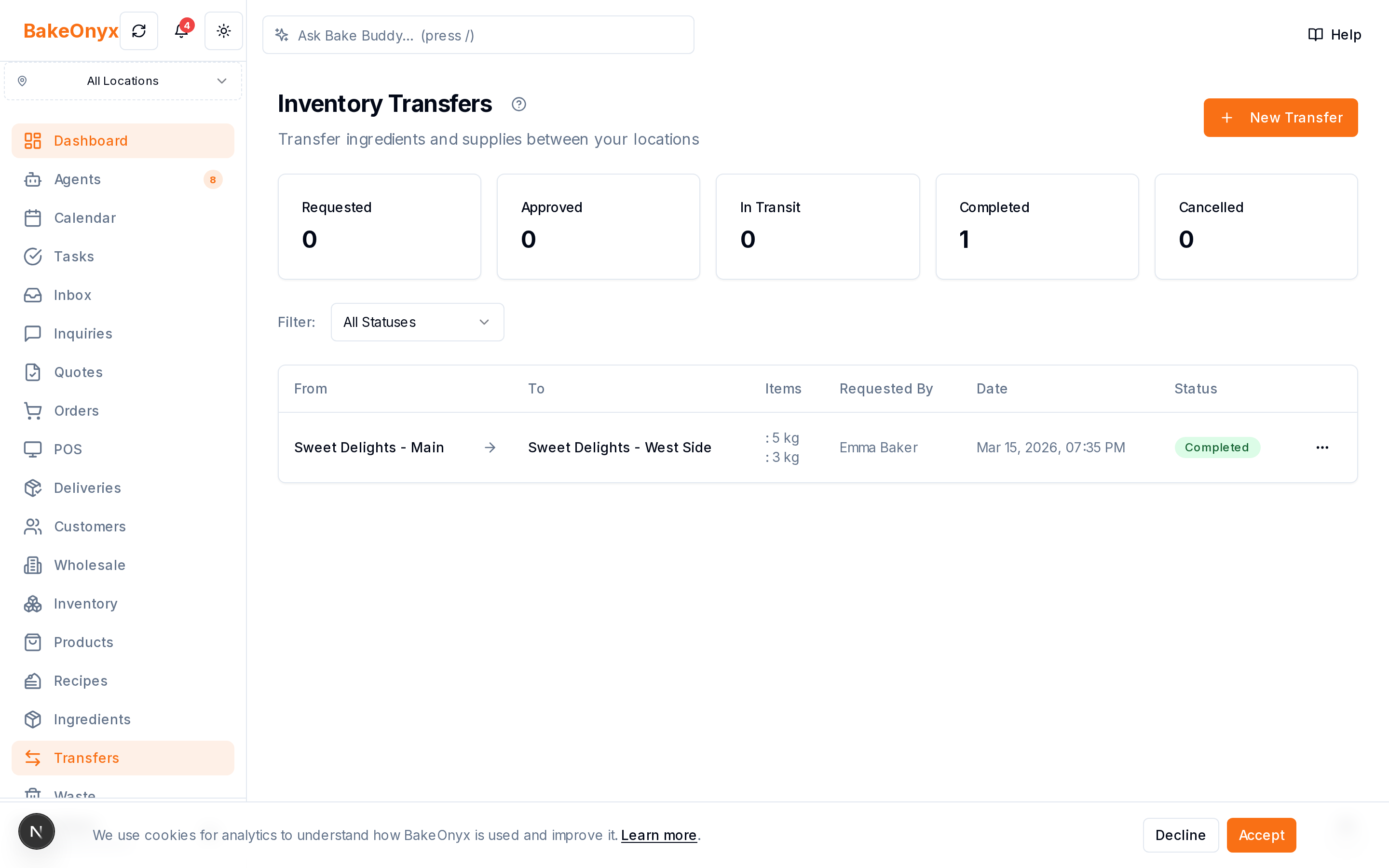
Many bakery owners manage inter-location stock moves the old way: a phone call, a handwritten note, or a text message. The flour moves from the central kitchen to the downtown shop. The croissant dough goes from the commissary to the café. But where's the record? There isn't one.
This creates three painful outcomes:
Stock moves with no paper trail. A manager grabs 50 pounds of dough and drives it to another location. Nobody logs it. Your system still shows the dough at the original site.
One location runs short while another overstocks. Without visibility into what's actually available across sites, you can't optimize stock. The main bakery might sit on excess inventory while a busy location runs out.
Inventory counts that never reconcile. At month-end or during an audit, your totals don't match reality. You spend hours digging through notes and memories, trying to figure out where product went. Reconciliation becomes a nightmare.
The result: wasted time, lost sales, and inventory shrinkage you can't explain.
How BakeOnyx Inventory Transfers Solves This
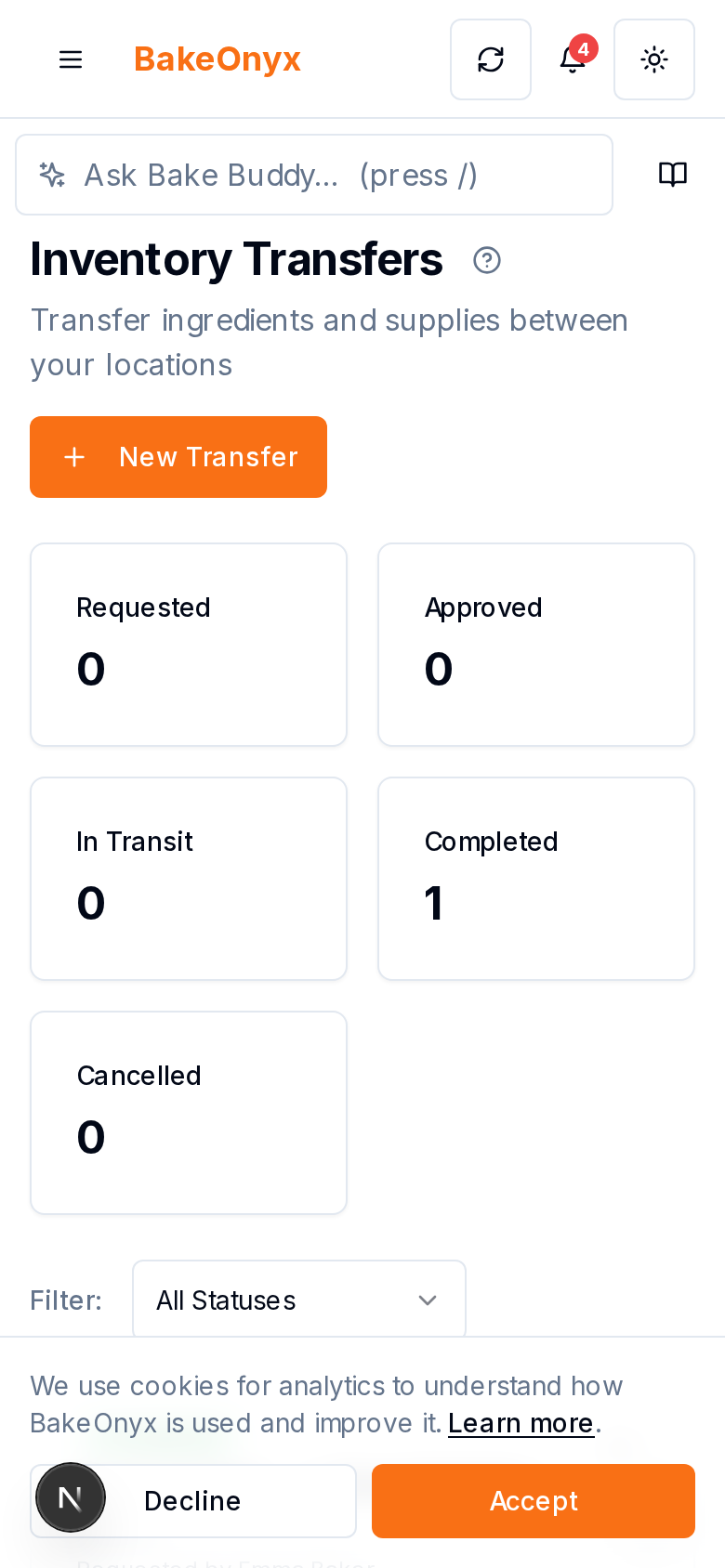
BakeOnyx Inventory Transfers is a feature designed to move stock between your locations while creating a permanent, auditable record. Every transfer is logged, timestamped, and tied to the two locations involved. Your inventory stays accurate across all sites, and you always know where your stock is.
How It Works
Step 1: Select the Source Location
In BakeOnyx, open the Inventory Transfers section and choose which location the stock is moving from. This is the site losing inventory.
Step 2: Choose the Product and Quantity
Select the product you're transferring (e.g., "Sourdough Starter, Bulk") and enter the exact quantity moving out. BakeOnyx shows you the current stock level at the source location, so you can't accidentally transfer more than you have.
Step 3: Select the Destination Location
Pick the location receiving the stock. This is the site that will gain inventory.
Step 4: Log the Transfer
Add any notes (optional—useful for context like "restock before weekend rush"), then confirm. BakeOnyx records the transfer instantly with a timestamp and user attribution.
Step 5: Monitor Across Locations
Both locations' inventory counts update automatically. The source location's stock decreases; the destination location's increases. You can pull a transfer history report anytime to see every move, by location, date, or product.
Why This Matters for Your Bakery
Accurate inventory at every site. No more phantom stock. Each location's counts reflect reality because every move is logged.
Faster rebalancing. When one location runs low and another has surplus, you can move stock in minutes and have it recorded instantly. No manual spreadsheet updates.
Audit-ready records. At the end of the month or during an inspection, your transfer history is complete and traceable. Reconciliation becomes straightforward.
Better planning. With a clear view of which products move between locations and how often, you can forecast demand and optimize production.
Reduced shrinkage. When every transfer is logged, it's harder for stock to disappear without explanation. Accountability improves.
Real-World Example
Imagine you run a central commissary and three retail locations. Friday morning, the downtown café is running low on croissant dough—they're expecting a rush. The commissary has plenty.
Without Inventory Transfers, a staff member might grab 30 units and drive it over. There's no record. By end of day, your system shows 30 units missing from the commissary, but nobody knows where they went. The café's count is also wrong because the transfer was never logged.
With BakeOnyx Inventory Transfers, the commissary manager logs a transfer of 30 croissant dough units to the downtown location in under a minute. Both sites' inventory updates instantly. When you run your end-of-day report, everything reconciles. You know exactly how much dough is at each location, and you have a complete history of why.
The Outcome
BakeOnyx Inventory Transfers turn stock movements from invisible to transparent. Your multi-location bakery stays in sync, your counts stay accurate, and you reclaim the time you used to spend chasing down inventory discrepancies.
If you're managing multiple bakery locations and struggling to keep inventory straight, this feature is designed to solve that problem. Ready to see how it works in your operation?
Start your free BakeOnyx trial today and try Inventory Transfers with your own data. No credit card required.
The summary, FAQ, and statistics in this section were compiled from public sources and reviewed by the BakeOnyx editorial team. AI-assisted research.
Frequently Asked Questions
Can I transfer partial quantities, or only whole units?▾
BakeOnyx Inventory Transfers lets you specify the exact quantity moving between locations, whether that's whole units or fractional amounts (depending on how your products are tracked). You control the precision.
What happens if I accidentally log a transfer to the wrong location?▾
Your transfer history is always visible in BakeOnyx. If you spot an error, you can review the transfer details and contact support to correct it. The system maintains a complete audit trail so corrections are traceable.
Do I need to approve transfers, or can any staff member log one?▾
BakeOnyx records who logs each transfer with a timestamp. Your bakery controls access permissions—you can restrict transfer logging to managers or allow all staff, depending on your workflow.
Can I see a report of all transfers across my locations?▾
Yes. BakeOnyx lets you pull transfer history filtered by location, product, date range, or user. This makes end-of-month reconciliation and audits straightforward.
Does Inventory Transfers work if I have more than two locations?▾
Yes. You can transfer stock between any two of your locations—whether you have 2 sites or 10. Each transfer is logged independently and contributes to accurate counts across your entire bakery network.
BakeOnyx Team
Contributing writer at BakeOnyx. Covering bakery business management, recipe costing, and baking industry trends.
Related Posts
Unified Inbox: Reply to All Customer Messages in One Place
Stop switching between email, WhatsApp, and social DMs. BakeOnyx's Unified Inbox lets you read and reply to every customer message in one place—with order history right there.
BakeOnyx Tasks: Keep Your Team Aligned on Busy Bake Days
Stop losing track of who's doing what during the morning rush. BakeOnyx Tasks keeps your whole team's to-dos in one shared list so nothing gets forgotten between shifts.
Bakery Ingredient Lot Tracking: Find Recalls in Minutes, Not Hours
BakeOnyx's Lot Tracking & Recalls feature lets you trace every ingredient by lot number, so when a supplier recall happens, you know exactly which bakes were affected—instantly.
Related Product Guides
Explore Related Features
Ready to get your time back?
Join hundreds of baking businesses using BakeOnyx to manage orders, recipes, and inventory.
Start Your Free Trial