Bakery Invoice Payment Reminders: Automate Cash Flow Tracking
Stop chasing late wholesale payments manually. BakeOnyx's Invoice Cash Flow & Payment Chasing feature tracks what's owed, predicts weekly cash arrival, and sends automatic payment reminders.
Quick answer
BakeOnyx's Invoice Cash Flow & Payment Chasing feature automatically tracks outstanding invoices, forecasts weekly cash arrival, and sends polite payment reminders—so bakery owners spend less time chasing late payments and more time running their business.
Stop Chasing Late Payments: Automate Your Bakery's Invoice Reminders
If you run a wholesale bakery, you know the feeling: you deliver a pallet of croissants on Monday, invoice on Tuesday, and then... silence. Weeks pass. You're not sure if the buyer forgot, if the invoice went to spam, or if they're just slow. Meanwhile, you're wondering whether next week's cash will cover payroll.
This is the reality for many bakery owners. Invoices slip through the cracks. Payment dates blur together. And without a clear picture of incoming cash, it's hard to plan inventory, staffing, or growth.
BakeOnyx's Invoice Cash Flow & Payment Chasing feature solves this by giving you visibility into what's owed, automating payment reminders, and showing you exactly how much cash is coming in each week.
The Problem: Late Payments and Hidden Cash Flow
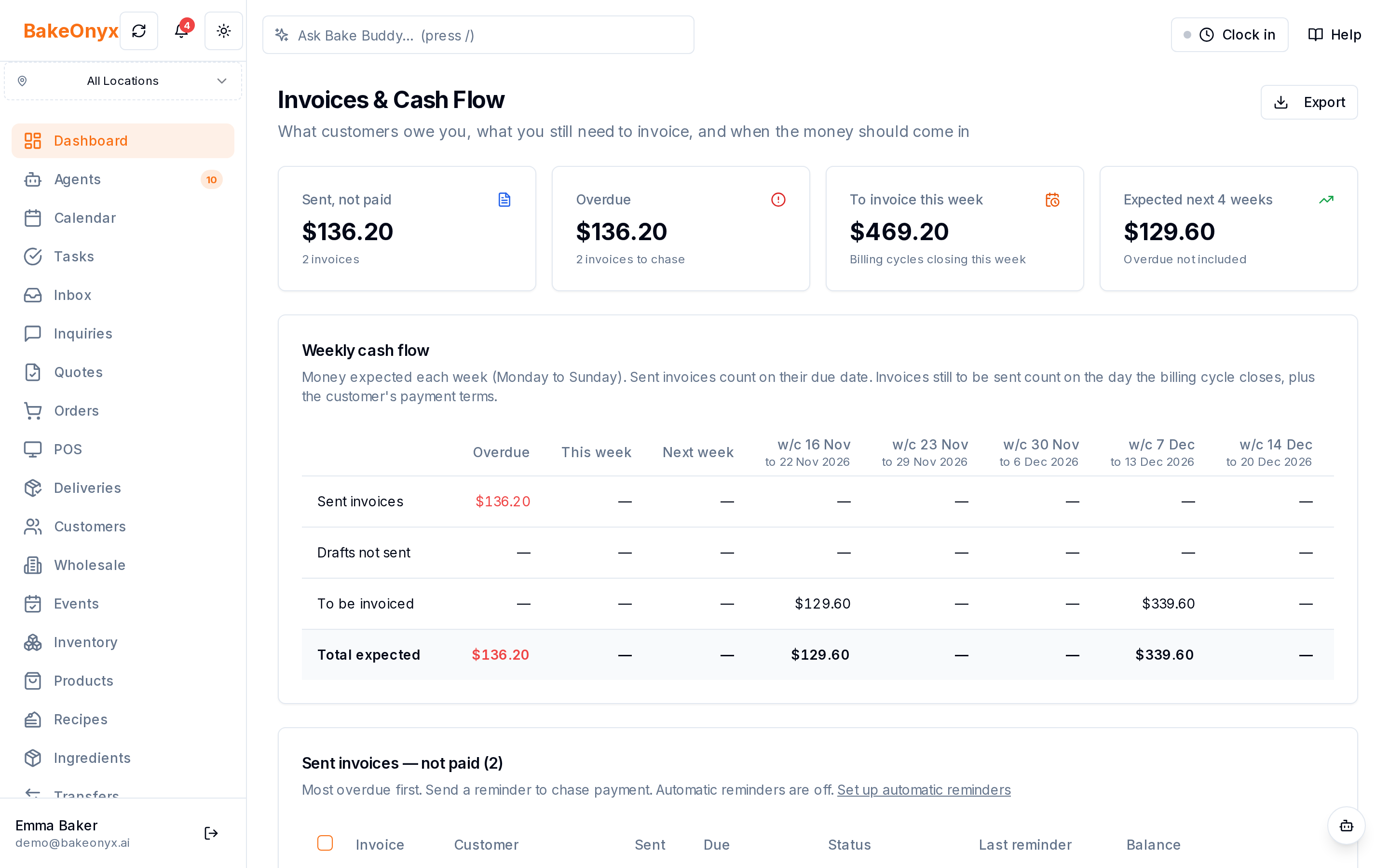
Wholesale bakeries operate on thin margins. A single late payment can delay ingredient orders or payroll. But chasing invoices manually is tedious and easy to forget:
- Invoices sent but never followed up on. You bill a customer, then life gets busy. Weeks later, you realize they never paid—and you never reminded them.
- No visibility into weekly cash. You don't know if $2,000 or $5,000 is arriving next week, making it hard to plan cash reserves or make purchasing decisions.
- Inconsistent payment patterns. Some customers pay in 7 days, others in 30 or 45. Without tracking, you lose track of who's overdue.
- Time wasted on manual follow-ups. Sending reminder emails one by one takes time you'd rather spend baking or growing your business.
How Invoice Cash Flow & Payment Chasing Fixes It
BakeOnyx's Invoice Cash Flow & Payment Chasing feature centralizes your invoicing and payment tracking in one place, then automates the reminders that actually get paid.
Step 1: Log Your Invoices and Payment Terms
When you create an invoice in BakeOnyx, you record the customer, invoice amount, and payment due date. The system captures this data so nothing gets lost in email or spreadsheets. You set payment terms (e.g., net 30, net 7) once per customer, and BakeOnyx remembers them for future invoices.
Step 2: View Your Cash Flow Calendar by Week
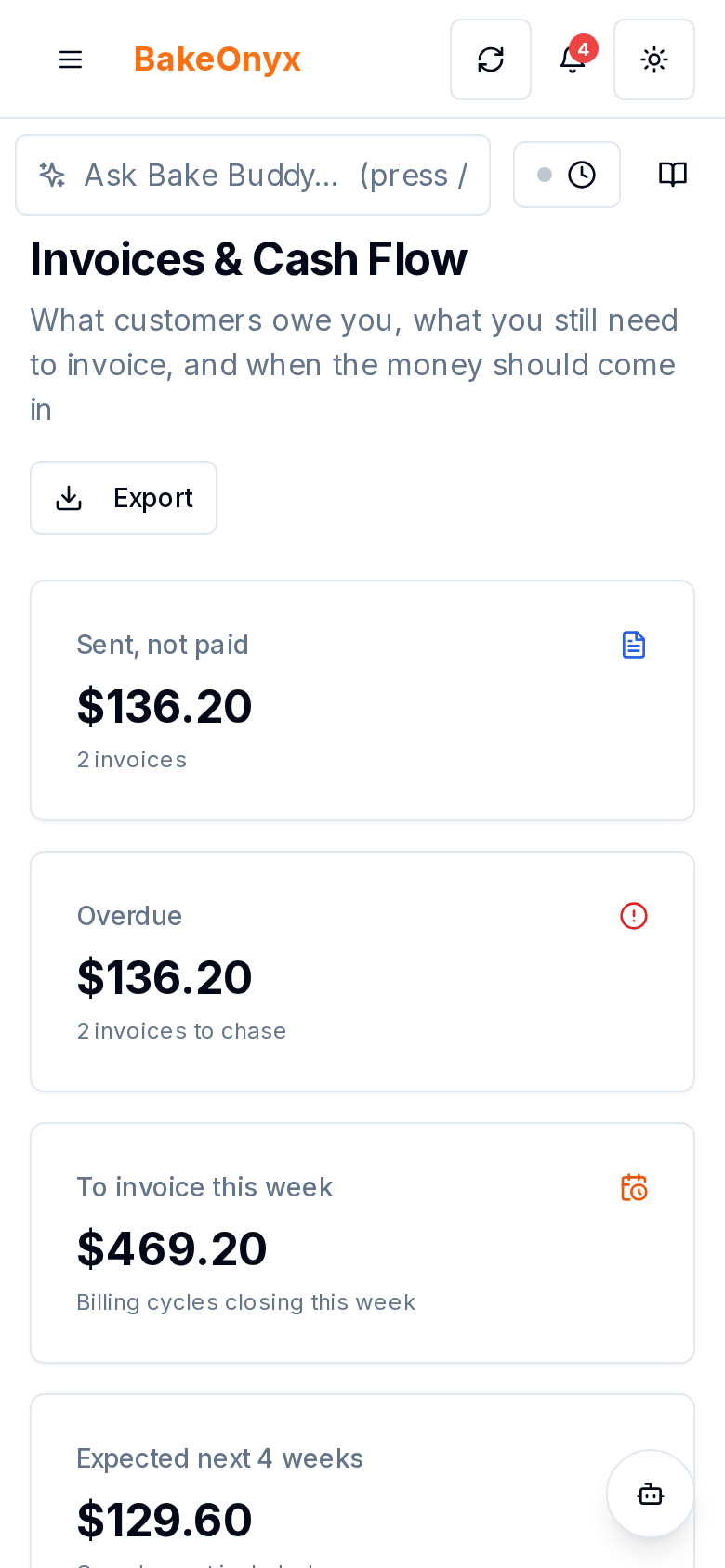
Once invoices are logged, BakeOnyx displays a weekly cash flow view. You can see:
- What invoices are due this week
- What invoices are overdue
- What cash you expect to receive in the coming weeks
This gives you a clear, forward-looking picture of your cash position. If you see a slow week ahead, you can plan accordingly. If a large payment is due Friday, you know it's coming.
Step 3: Automatically Send Payment Reminders
BakeOnyx can send polite, automatic payment reminders to customers when invoices are due or overdue. Instead of manually emailing each customer, the system handles it on a schedule you set. Reminders are professional and non-aggressive—they simply nudge customers to pay without damaging relationships.
You choose when reminders go out (days before and after the due date), how many each invoice gets, whether you approve each one first, and the wording. You can also turn reminders off for one customer, or send a reminder by hand from the cash flow page.
Step 4: Track Payment Status and Mark Invoices as Paid
As payments arrive, you log them in BakeOnyx. The system updates your cash flow view in real time, removing paid invoices from your "to-chase" list. This keeps your forecasts accurate.
Why This Matters for Your Bottom Line
Faster cash collection. Automatic reminders mean invoices get paid sooner. A customer who forgets to pay in 30 days might pay in 20 if reminded. Over a year, that's significant cash freed up.
Better planning. When you know exactly how much cash is arriving each week, you can confidently order ingredients, schedule staff, or invest in equipment without guessing.
Less admin work. No more spreadsheets, no more manual reminder emails, no more wondering which invoices you've already chased. The system does it for you.
Fewer surprises. Late payments are still a problem, but at least you'll see them coming. You can adjust your cash reserves or reach out proactively instead of discovering the shortfall on payday.
A Real Workflow
Here's how it works in practice:
- On Monday, you deliver 50 dozen bagels to a café and create an invoice in BakeOnyx for $400, net 30.
- BakeOnyx marks the due date as 30 days out and adds it to your cash flow forecast.
- On day 25, BakeOnyx automatically sends a friendly reminder to the café: "Your invoice for $400 is due in 5 days."
- The café pays on day 27.
- You log the payment, and BakeOnyx removes the invoice from your tracking list and updates your cash flow.
- You now have $400 in hand and a clear picture of next week's incoming cash.
Multiply this across 10, 20, or 50 wholesale customers, and the time savings and cash improvement are substantial.
Honest Limitations
This feature works best when your customers are set up in BakeOnyx and you log invoices consistently. If you forget to create an invoice, the system can't track it. It's also a tool for managing existing invoices—it doesn't force customers to pay faster, but it removes friction and keeps payments top-of-mind.
Take Control of Your Cash Flow
Late payments and cash surprises are a normal pain point for bakery owners, but they don't have to be. BakeOnyx's Invoice Cash Flow & Payment Chasing feature automates the work of tracking and reminding, so you spend less time chasing money and more time running your bakery.
If you're tired of wondering whether next week's cash will cover your bills, or if you're manually chasing invoices every month, it's worth exploring how this feature can simplify your workflow.
Start a free trial of BakeOnyx to see how Invoice Cash Flow & Payment Chasing works for your business—no credit card required.
The summary, FAQ, and statistics in this section were compiled from public sources and reviewed by the BakeOnyx editorial team. AI-assisted research.
Frequently Asked Questions
How often can I send payment reminders?▾
You choose the days before and after the due date when reminders go out, how many reminders each invoice can get, and whether you approve each one first. You can also send a reminder by hand from the Invoices & Cash Flow page.
Can I see cash flow forecasts for the next month or quarter?▾
Yes. BakeOnyx displays your weekly cash flow view, showing invoices due and expected payments in the coming weeks. This helps you plan ahead and avoid cash shortfalls.
What happens if a customer ignores reminders and doesn't pay?▾
The feature helps you track and remind, but it can't force payment. However, by automating reminders, you'll catch overdue invoices faster and can reach out proactively to resolve payment issues.
Do I need to set up each customer individually?▾
Yes. You add customers to BakeOnyx and set their payment terms (e.g., net 30) once. After that, invoices and reminders are automated, but the initial setup takes a few minutes per customer.
BakeOnyx Team
Contributing writer at BakeOnyx. Covering bakery business management, recipe costing, and baking industry trends.
Related Posts
Boost Bakery Sales: Master Your Holiday Pre-Order Strategy
Unlock peak holiday sales by optimizing your bakery's pre-order strategy. Learn how to streamline processes, manage demand, and delight customers with essential tips.
Staff Holiday Requests: Approve Time Off in One Tap
Stop losing holiday requests in text messages. BakeOnyx Staff Holiday Requests lets employees request time off from their phone while managers approve instantly—and your rota updates automatically.
Bakery Staff Time Clock App: Clock In From Any Device
Stop chasing paper timesheets and manually adding hours. BakeOnyx Staff Time Clock lets your team clock in from any device, and calculates weekly pay automatically.
Related Product Guides
Explore Related Features
Ready to get your time back?
Join hundreds of baking businesses using BakeOnyx to manage orders, recipes, and inventory.
Start Your Free Trial