BakeOnyx Invoicing & Payments: Get Paid Faster, Chase Less
Send branded invoices with payment links and collect deposits online. Stop chasing unpaid balances and lock in custom orders before pickup.
Quick answer
BakeOnyx Invoicing & Payments lets bakery owners send branded invoices with pay-now links and collect deposits online, securing orders before baking and improving cash flow without manual payment chasing.
Stop Chasing Payments: How BakeOnyx Invoicing & Payments Saves Time and Secures Orders
Every bakery owner knows the frustration: a customer orders a custom cake for next Saturday, promises to "bring cash at pickup," and then shows up with a card and no deposit. Or worse, they don't show up at all—and you've already bought the ingredients.
Meanwhile, you're juggling manual receipts, scribbling VAT notes on scraps of paper, and spending precious time sending reminder texts about unpaid balances.
BakeOnyx's Invoicing & Payments feature cuts through this chaos. You can send branded invoices with a pay-now link, collect deposits online to lock in orders, and get paid before you start baking. No more awkward payment conversations at pickup. No more guessing whether an order is really confirmed.
The Problem: Manual Payment Chasing Costs Time and Sales
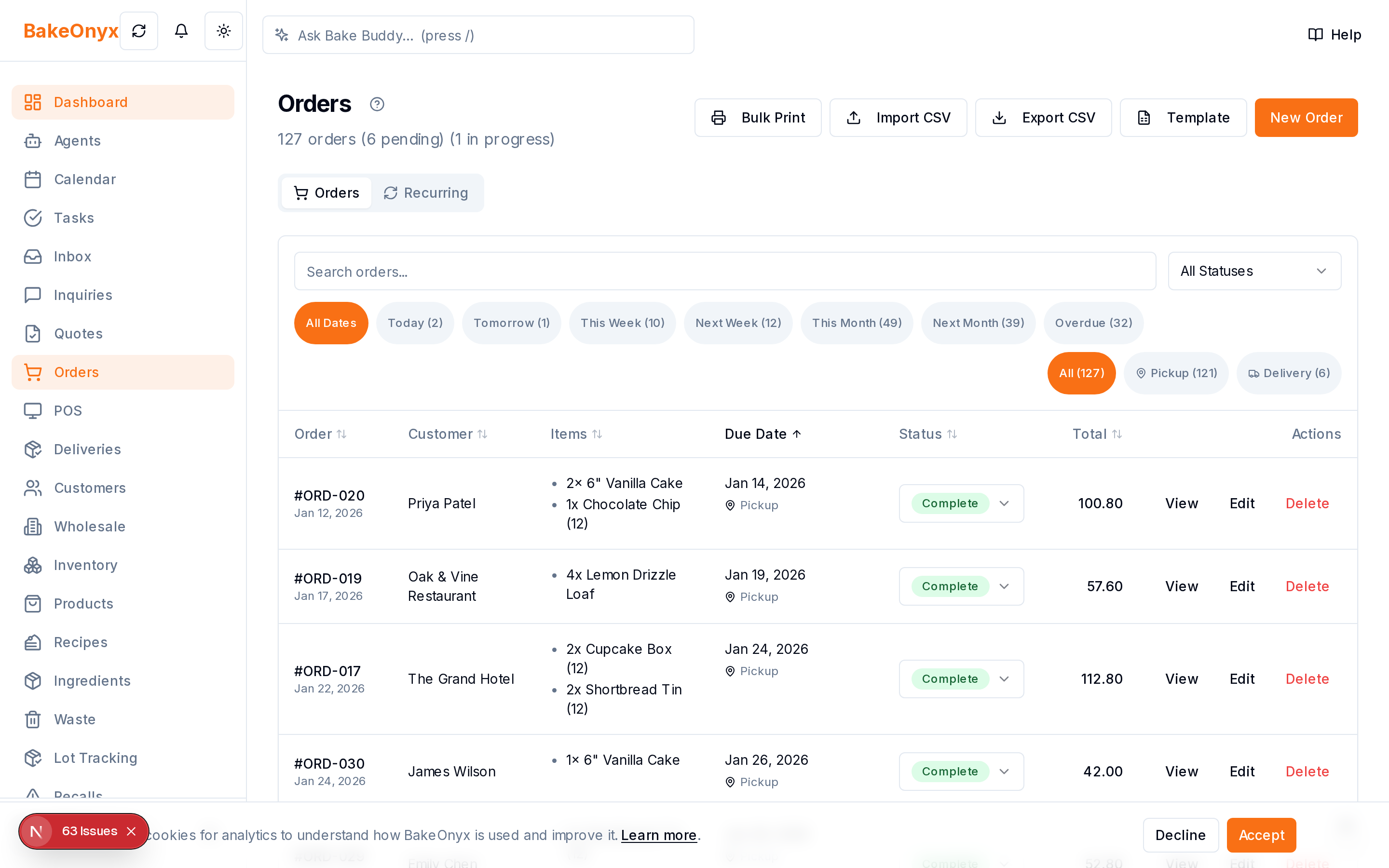
When payment collection is manual, three things happen:
Unpaid balances pile up. Customers intend to pay but forget, or show up without the promised cash. You're left chasing them via text or email, which feels unprofessional and eats into baking time.
You can't lock in custom orders. Without a deposit, you don't know if a booking is real. Do you buy ingredients for a £50 cake order that might evaporate? The uncertainty forces you to overbuy or underbuy.
Receipts and VAT become a headache. Manual receipts get lost, VAT calculations are error-prone, and reconciling cash at the end of the month is a nightmare.
The result: slower cash flow, wasted ingredients, and time spent on admin instead of baking.
How BakeOnyx Invoicing & Payments Works
Step 1: Create and Customize Your Invoice
When a customer places an order in BakeOnyx, you generate an invoice directly from the order details. The invoice is branded with your bakery's logo and colors, so it looks professional and reinforces your brand every time a customer sees it.
You can include all relevant order details—product name, price, delivery or pickup date, and any custom notes. This clarity reduces back-and-forth emails.
Step 2: Add a Pay-Now Link
Your invoice includes a secure payment link that customers can click to pay online. They don't need to visit your website, call you, or meet you in person to settle the bill. The link takes them directly to a payment screen where they can pay via card or other accepted methods.
This removes friction: payment is one click away, so more customers pay promptly.
Step 3: Collect Deposits to Lock Orders
You can set a deposit amount (e.g., 50% upfront) and send the invoice requesting just that deposit. Once the customer pays the deposit via the link, the order is locked in. You know it's real, so you can confidently buy ingredients and schedule your time.
The remaining balance can be collected before delivery or pickup, or left for payment on the day—your choice.
Step 4: Track Payments and Send Reminders
BakeOnyx tracks which invoices have been paid and which are pending. You can see at a glance which customers still owe money, and the system can send automated payment reminders so you don't have to chase manually.
Step 5: Get Paid Faster
Online payments typically clear within 1–2 business days, depending on your payment provider. You're no longer waiting for cash at pickup or hoping a cheque clears. Money lands in your account predictably, improving your cash flow.
Why This Matters for Your Bakery
Faster cash flow. Deposits and online payments mean money in your account before you start baking, not after delivery.
Fewer no-shows and cancellations. When a customer has already paid a deposit, they're committed. Order cancellations drop because the financial commitment is real.
Professional image. Branded invoices and seamless online payment make your bakery look polished and established—not like a side hustle.
Less admin time. No manual receipt writing, no VAT confusion, no chasing unpaid balances via text. Invoicing & Payments handles it automatically.
Clearer record-keeping. Every invoice and payment is logged in BakeOnyx, so you have a complete audit trail for accounting and tax time.
A Real-World Example
Imagine a customer orders a three-tier wedding cake for £300, due in two weeks. With BakeOnyx Invoicing & Payments, you:
- Create an invoice requesting a £150 deposit.
- Send it via the pay-now link.
- Customer pays the deposit online within hours.
- Order is locked in—you buy premium ingredients, schedule your time, and confirm the date with confidence.
- Two days before the wedding, you send an invoice for the remaining £150.
- Customer pays the balance online.
- You deliver the cake with zero payment stress on the day.
Without this feature, you'd have spent two weeks wondering if the order was real, texting the customer about payment, and hoping they show up with cash.
Getting Started with BakeOnyx Invoicing & Payments
The feature integrates directly into your BakeOnyx account. When you create or receive an order, you can generate a branded invoice and send it to your customer with a single click. Payment processing is handled securely, and all transactions are logged in your account for easy reconciliation.
If you're tired of chasing payments and want to streamline your bakery's cash flow, BakeOnyx's Invoicing & Payments feature is designed to save you time and money. Ready to stop leaving money on the table? Start your free trial today and see how easy it is to get paid faster and lock in orders with confidence.
The summary, FAQ, and statistics in this section were compiled from public sources and reviewed by the BakeOnyx editorial team. AI-assisted research.
Frequently Asked Questions
Can I collect just a deposit, or do I have to collect the full payment upfront?▾
You can collect a deposit (e.g., 50% upfront) to lock in the order, then collect the remaining balance later—before delivery, at pickup, or on the day. It's entirely your choice how to structure the payment schedule.
What payment methods do customers have access to?▾
BakeOnyx Invoicing & Payments supports secure online card payments and other standard payment methods. The exact methods depend on your payment provider integration, which you can configure in your account.
Do I have to send manual payment reminders, or does BakeOnyx do it automatically?▾
BakeOnyx can send automated payment reminders for pending invoices, so you don't have to chase customers manually. You can also send reminders yourself if you prefer.
How long does it take for payments to clear into my bank account?▾
Online payments typically clear within 1–2 business days, depending on your payment provider and bank. This is much faster than waiting for cash at pickup or cheques to clear.
Will BakeOnyx handle VAT calculations on invoices?▾
Yes, BakeOnyx Invoicing & Payments automates VAT calculations so you don't have to do it manually. This removes a major source of admin headaches and reduces errors.
BakeOnyx Team
Contributing writer at BakeOnyx. Covering bakery business management, recipe costing, and baking industry trends.
Related Posts
Wholesale Portal: Self-Service Ordering for Café & Shop Clients
Stop managing wholesale orders via text and email. BakeOnyx's Wholesale Portal lets your café and shop customers place repeat orders themselves at agreed prices—no re-keying, no mistakes.
Build Weekly Rotas in Minutes: BakeOnyx Staff Scheduling
Stop managing rotas in spreadsheets. BakeOnyx Staff Scheduling lets you drag-and-drop shifts, track availability, and see labour costs before you commit—cutting scheduling time and preventing understaffed days.
Fast Bakery Point of Sale: Split Payments & Automatic Stock Deduction
BakeOnyx Point of Sale rings up counter sales instantly with split payments and automatic change calculation—while syncing every transaction to your inventory and reports in real time.
Related Product Guides
Explore Related Features
Ready to get your time back?
Join hundreds of baking businesses using BakeOnyx to manage orders, recipes, and inventory.
Start Your Free Trial