BakeOnyx Production Scheduling: Turn Orders Into a Capacity-Aware Bake Plan
Stop hand-writing bake lists and guessing at oven capacity. BakeOnyx Production Scheduling converts confirmed orders into a clear, day-by-day production plan that keeps your team aligned and prevents bottlenecks.
Quick answer
BakeOnyx Production Scheduling converts confirmed orders into a clear, capacity-aware production plan that prevents over- and under-production, eliminates forgotten tasks, and ensures your oven is never the bottleneck.
BakeOnyx Production Scheduling: Turn Orders Into a Capacity-Aware Bake Plan
Every bakery owner knows the morning routine: orders come in, you scribble a bake list, and you hope nothing slips through the cracks. Then halfway through the day, you realize the oven is packed, a custom cake order got forgotten, or you've baked twice as many croissants as you can sell.
Bakery production scheduling doesn't have to be manual guesswork. When your confirmed orders feed directly into a structured production plan—one that shows you exactly what fits in your capacity—you stop losing time, money, and peace of mind.
That's what BakeOnyx Production Scheduling does.
The Problem: Manual Planning Doesn't Scale
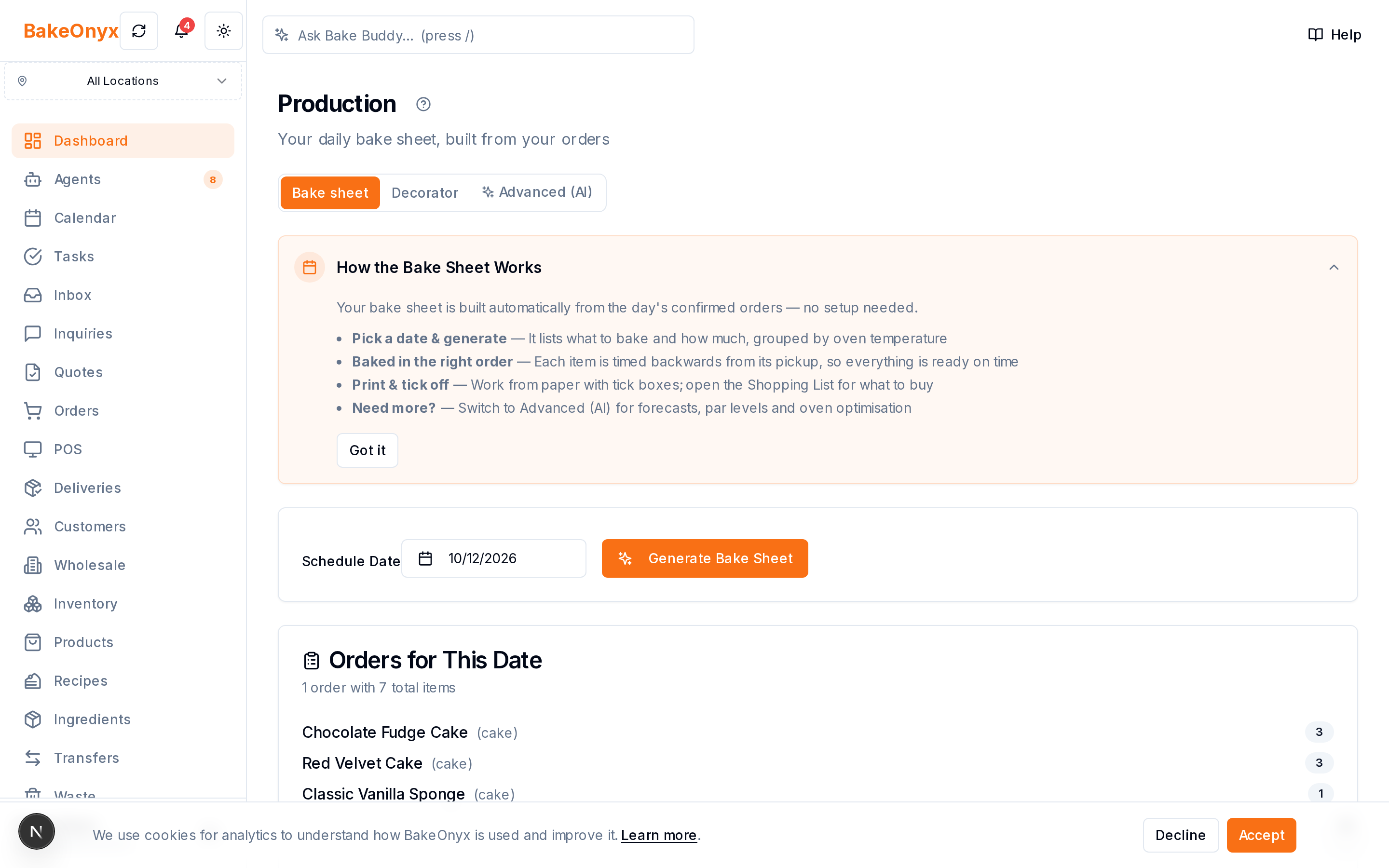
Handwriting a daily bake list works when you have five orders. But as your bakery grows, so do the gaps in a manual system:
Over-production wastes ingredients and shelf space. Without visibility into how many orders you actually have, your team bakes based on habit or guesswork. You end up with unsold inventory that ties up cash and spoils.
Under-production loses sales and frustrates customers. Or you swing the other way—rush to fill orders and run out of key items. Either way, revenue walks out the door.
Tasks slip through the cracks on busy days. A custom order arrives via email, a phone call, and a text. By lunch, no one remembers that the gluten-free sourdough was supposed to proof overnight. You catch it too late, or you don't catch it at all.
The oven becomes the bottleneck, not the solution. You can't see how many hours of baking you've actually scheduled until you're standing in front of the oven at 5 a.m. realizing you've double-booked three batches.
BakeOnyx Production Scheduling eliminates these problems by turning every confirmed order into a structured, capacity-aware production plan.
How It Works
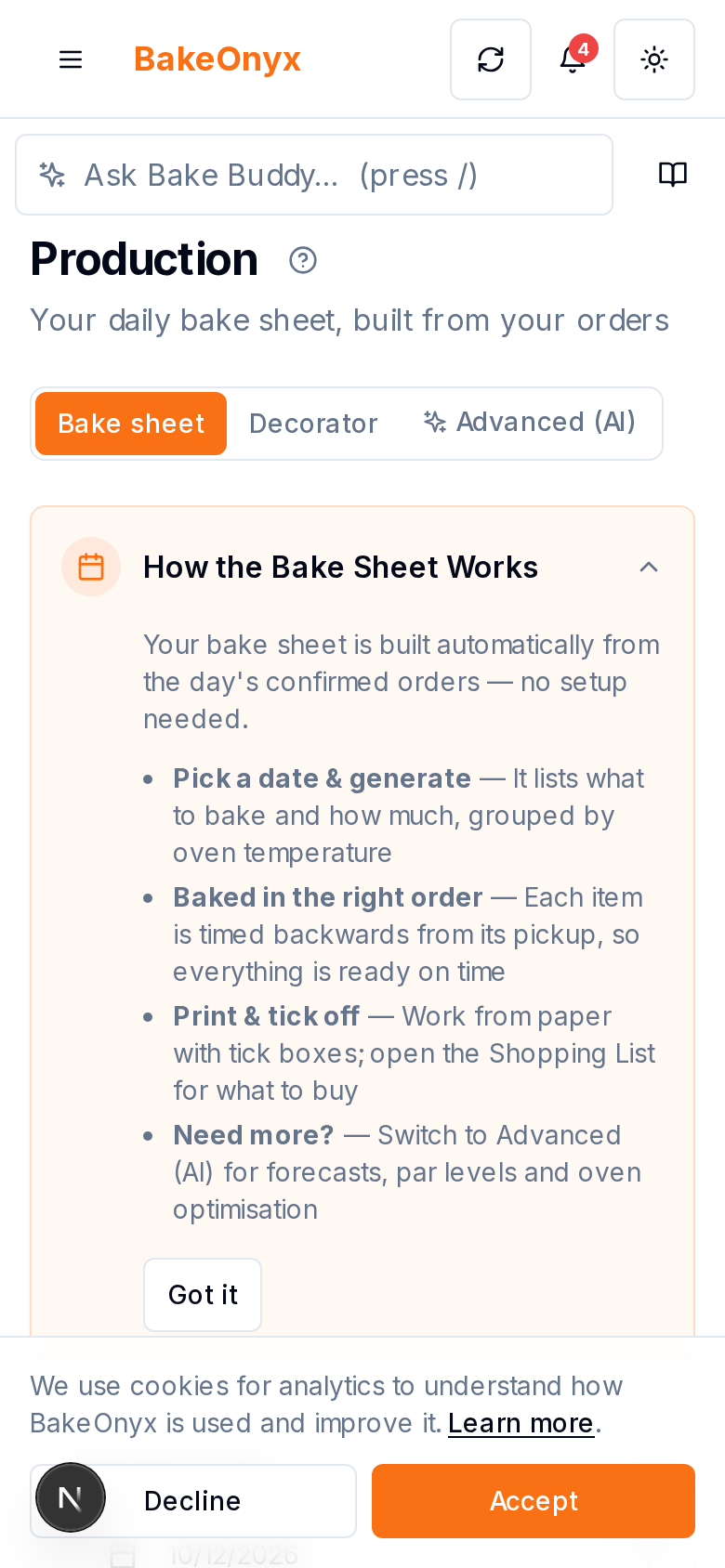
Step 1: Confirmed Orders Flow Into Your Production Plan
When an order is marked as confirmed in BakeOnyx, it automatically appears in your production schedule. You're not re-entering data or hunting through emails and texts. Every order—whether it came through your online store, a phone call, or a wholesale account—feeds into one unified view of what needs to be made.
Step 2: View Your Bake Load by Date and Product
Your production plan shows you exactly what's due on each day. You can see at a glance: How many sourdough loaves are scheduled for Thursday? How many hours will the croissant lamination take? What's the total oven load for Friday morning?
This visibility is the foundation of real planning. You're no longer guessing. You're looking at data.
Step 3: Check Capacity Before You Commit
BakeOnyx Production Scheduling shows you your oven capacity and available production time. When you know your oven can handle 200 croissants in a morning shift, you can see whether you're at 120 units (room to grow) or 180 units (nearly full). This prevents the 5 a.m. panic when you realize you've overbooked.
You can also see which products are eating the most time and space, so you can make smarter decisions about production batching, scheduling, or pricing.
Step 4: Assign Tasks and Dates to Your Team
Once your production plan is clear, you can assign specific bake tasks to team members and set prep dates. Who's handling the lamination? When does the dough need to be mixed? BakeOnyx keeps everyone on the same page, so tasks don't fall through the cracks on busy days.
Step 5: Adjust and Rebalance as Orders Change
Orders get cancelled. Rush requests come in. Holidays shift demand. BakeOnyx lets you see the impact of these changes on your capacity in real time. If a large wholesale order arrives on a day you're already at 90% capacity, you can either reschedule it, adjust your production, or make an informed decision to bring in extra help.
Why This Matters
Fewer forgotten orders. When every confirmed order is in the system and assigned to a task, nothing gets lost to email chaos or a sticky note that got thrown away.
Better ingredient management. You know exactly what you're making and when, so you can order ingredients more accurately and reduce waste.
Smarter staffing decisions. If you can see that Tuesday is light and Friday is packed, you can schedule team members accordingly and avoid unnecessary overtime.
Higher profit margins. Less waste, fewer emergency orders, better capacity utilization—these add up to cleaner margins and less stress.
Room to grow. As your bakery scales, a manual bake list becomes impossible to manage. A structured production plan grows with you.
Getting Started
BakeOnyx Production Scheduling is built to work with how bakeries actually operate. It doesn't require complex setup or weeks of training. Your confirmed orders are already in the system; the production plan is just a clearer way to see and manage them.
If you're tired of scribbling bake lists and guessing at capacity, a free trial of BakeOnyx will show you how much time and mental energy a structured production plan can save. Start with one week of production scheduling and see the difference.
[Start your free trial today.]
The summary, FAQ, and statistics in this section were compiled from public sources and reviewed by the BakeOnyx editorial team. AI-assisted research.
Frequently Asked Questions
How does BakeOnyx know my oven capacity?▾
You set your oven capacity and production time limits during setup based on your equipment and team. BakeOnyx then compares your scheduled orders against that capacity so you can see how full you are on any given day.
What if an order gets cancelled or changes?▾
You can update or remove orders in BakeOnyx, and your production plan adjusts automatically. You'll immediately see how the change affects your capacity and can rebalance your schedule if needed.
Do I have to assign tasks manually for every order?▾
BakeOnyx lets you assign tasks and set prep dates, but you control the level of detail. You can assign individual tasks to team members or keep it high-level—whatever fits your workflow.
Can I see my production plan for multiple days at once?▾
Yes. BakeOnyx Production Scheduling shows you a day-by-day or week-by-week view so you can plan ahead and spot capacity issues before they become problems.
Does this work if I take orders by phone or email?▾
Yes. As long as the order is entered into BakeOnyx and marked confirmed, it appears in your production plan. You can enter orders manually, import them from your online store, or pull them from other channels.
BakeOnyx Team
Contributing writer at BakeOnyx. Covering bakery business management, recipe costing, and baking industry trends.
Related Posts
BakeOnyx Tasks: Keep Your Team Aligned on Busy Bake Days
Stop losing track of who's doing what during the morning rush. BakeOnyx Tasks keeps your whole team's to-dos in one shared list so nothing gets forgotten between shifts.
Bakery Product and Price Management: Keep Costs Honest
Stop managing prices across spreadsheets and memory. BakeOnyx's Products & Pricing feature links your full product list, variants, and prices to recipes so you always know your true costs.
Bakery Order Calendar: Never Double-Book Orders Again
See every order, pickup, and delivery on one colour-coded calendar. BakeOnyx's Order Calendar eliminates scheduling conflicts and gives you a clear month-at-a-glance view of your workload.
Related Product Guides
Explore Related Features
Ready to get your time back?
Join hundreds of baking businesses using BakeOnyx to manage orders, recipes, and inventory.
Start Your Free Trial