Wholesale Portal: Self-Service Ordering for Café & Shop Clients
Stop managing wholesale orders via text and email. BakeOnyx's Wholesale Portal lets your café and shop customers place repeat orders themselves at agreed prices—no re-keying, no mistakes.
Quick answer
BakeOnyx's Wholesale Portal gives cafés and shops a self-service ordering space with custom pricing already built in. Orders flow directly into your system—no phone calls, no re-keying, no mistakes—saving your team hours every week.
Stop Chasing Wholesale Orders Across Three Channels
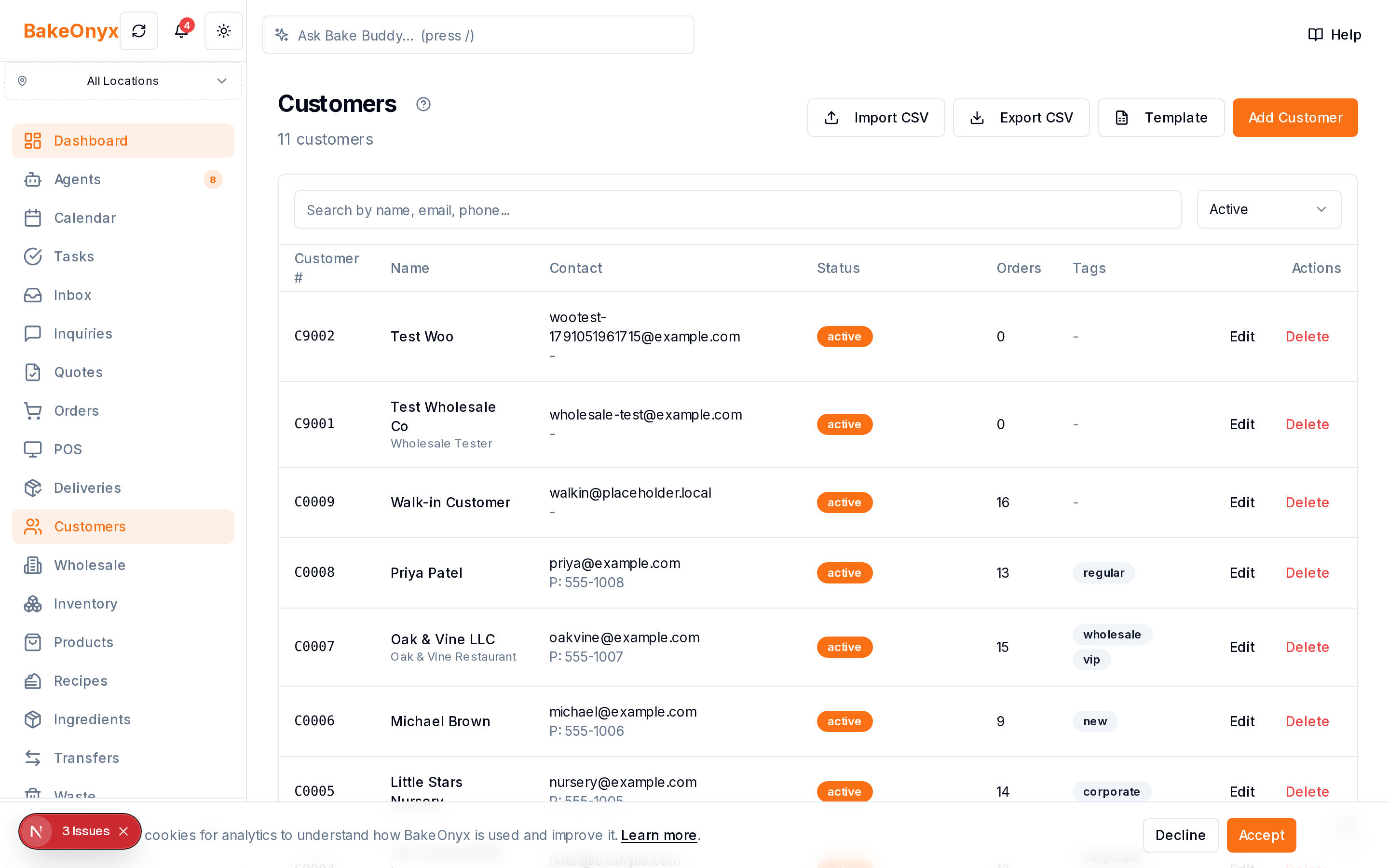
If you run a bakery with wholesale accounts, you know the chaos: a café owner texts an order Tuesday morning, a shop emails a reorder Wednesday evening, and voicemails pile up Friday. By the time you've tracked down all the requests, cross-checked custom pricing, and manually entered each order into your system, you've spent hours on work that should take minutes.
Even worse, when orders arrive in different formats—some with quantities, some without—mistakes slip through. A regular customer gets the wrong price. You miss an order entirely. The relationship suffers, and so does your bottom line.
The root problem: your wholesale customers are forcing you into their workflow instead of you controlling yours.
Introducing BakeOnyx's Wholesale Portal
The BakeOnyx Wholesale Portal solves this by giving your wholesale accounts a dedicated, self-service ordering space. Your café and shop clients log in, see their custom pricing, and place orders on their own time—no phone calls, no emails, no re-keying required.
You set the terms once. They place orders whenever they need them. Orders flow directly into BakeOnyx, already organized and priced correctly. Your team focuses on baking, not order management.
How It Works
Step 1: Set Up Your Wholesale Account in BakeOnyx
Start by creating a wholesale customer profile in BakeOnyx. You'll add the café or shop's basic information—name, location, contact person—just as you would for any customer account. This becomes the foundation for their self-service access.
Step 2: Define Custom Pricing for Each Wholesale Partner
Every wholesale account has unique pricing. A large café might get a deeper discount than a small shop; a regular weekly buyer might have different rates than a seasonal customer. In BakeOnyx, you set those custom prices directly on the account. You're not juggling spreadsheets or price lists—the pricing lives in one place and applies automatically to every order that customer places.
Step 3: Invite Your Wholesale Customer to the Portal
Once the account is configured, you send your customer a portal invite. They create a login and gain access to a clean, simple ordering interface built just for them. No confusion, no extra features they don't need—just the products you sell to them and the prices you agreed on.
Step 4: Customer Places an Order in the Portal
Your wholesale partner logs in, selects the items they need, enters quantities, and submits their order. The order is timestamped and recorded in BakeOnyx immediately. There's no ambiguity about what was ordered, when, or at what price. If they need to place the same order every week, many wholesale portals let them save favorites or set recurring orders—check your BakeOnyx setup for these options.
Step 5: Order Appears in Your BakeOnyx Dashboard
The order lands directly in your BakeOnyx system, ready for fulfillment. No manual data entry. No transcription errors. No lost voicemails. You see the order in context with all your other customer orders, and you can plan production, assign delivery, and track fulfillment—all from one place.
Why This Matters for Your Bakery
No More Order Rekeying: Every order your wholesale customers submit via the portal is already in your system, formatted correctly, and priced accurately. You save time on data entry and eliminate transcription mistakes.
Consistent Pricing: When a customer places an order through the portal, they see the exact prices you set. No confusion, no disputes, no accidental discounts or overcharges. Your margins stay protected.
Better Customer Experience: Your wholesale partners appreciate the convenience. They can place orders at 6 a.m. or 9 p.m., whenever it suits their schedule. No waiting for you to answer the phone. No wondering if you got their message. They feel more in control, and that builds loyalty.
Reduced Admin Burden: Your team spends less time on order administration and more time on what matters—baking great products and growing the business.
Who Benefits Most
The Wholesale Portal is most valuable if you have:
- Repeat wholesale customers (cafés, restaurants, shops, offices) who order regularly
- Custom pricing that varies by account or order volume
- Multiple order channels currently (text, email, phone) that create friction or errors
- Limited admin staff who can't afford to spend hours managing order intake
If you're still managing wholesale orders via text and spreadsheets, the portal will feel like a significant upgrade.
Getting Started
Setting up the Wholesale Portal in BakeOnyx takes only a few minutes per account. You define the customer, set their pricing, and send an invite. From that point on, orders flow in automatically, saving you time every single week.
Ready to stop chasing orders across email, text, and voicemail? Start a free trial of BakeOnyx to see how the Wholesale Portal simplifies your wholesale operation.
The summary, FAQ, and statistics in this section were compiled from public sources and reviewed by the BakeOnyx editorial team. AI-assisted research.
Frequently Asked Questions
Do my wholesale customers need to learn new software to use the portal?▾
No. The Wholesale Portal is designed to be simple and intuitive. Your customers receive a login invite, create an account, and can start placing orders immediately. It requires no training or technical knowledge.
Can I set different prices for different wholesale customers?▾
Yes. BakeOnyx lets you define custom pricing for each wholesale account. Every customer sees only their agreed prices when they log in, so there's no confusion or mistakes.
What happens to orders placed through the portal—where do they appear?▾
Orders placed through the Wholesale Portal appear directly in your BakeOnyx dashboard, already organized and priced correctly. You manage fulfillment, delivery, and tracking just like any other order in the system.
Can my wholesale customers place recurring or standing orders?▾
Check your BakeOnyx setup for recurring order options. Many bakeries benefit from customers being able to save favorite orders or set weekly standing orders, reducing friction even further.
Is the Wholesale Portal included in all BakeOnyx plans?▾
Start a free trial to see which BakeOnyx plan includes the Wholesale Portal and what features are available for your bakery's needs.
BakeOnyx Team
Contributing writer at BakeOnyx. Covering bakery business management, recipe costing, and baking industry trends.
Related Posts
Multi-Location Bakery Inventory Transfers: Keep Stock Accurate
Move stock between bakery locations with a complete audit trail. BakeOnyx Inventory Transfers eliminate guesswork and keep every site's counts accurate.
Unified Inbox: Reply to All Customer Messages in One Place
Stop switching between email, WhatsApp, and social DMs. BakeOnyx's Unified Inbox lets you read and reply to every customer message in one place—with order history right there.
BakeOnyx Tasks: Keep Your Team Aligned on Busy Bake Days
Stop losing track of who's doing what during the morning rush. BakeOnyx Tasks keeps your whole team's to-dos in one shared list so nothing gets forgotten between shifts.
Related Product Guides
Explore Related Features
Ready to get your time back?
Join hundreds of baking businesses using BakeOnyx to manage orders, recipes, and inventory.
Start Your Free Trial