Customer Lifecycle Automation — Four Hands-Off Flows
Welcome, Re-engagement, Top Customer, and Birthday emails that fire automatically based on customer behaviour. Growth + Scale plans.
The Four Flows
Customer Automation sends emails (and optionally WhatsApp — see the separate article) when specific events happen. You turn each flow on, edit the template if you want, and BakeOnyx handles the rest.
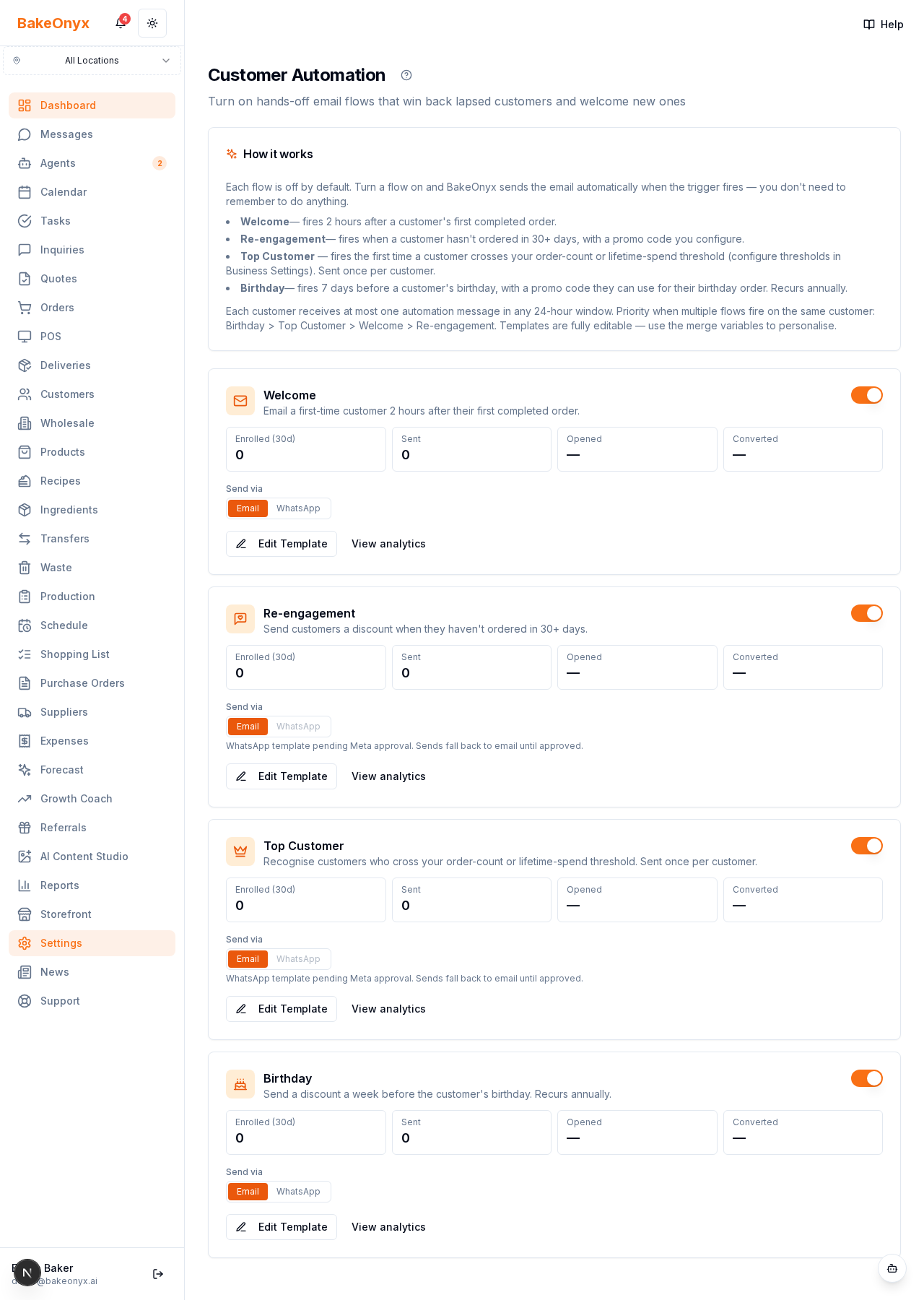
| Flow | Trigger | When it sends | Promo code |
|---|---|---|---|
| Welcome | Customer's first completed order | 2 hours after the order | No |
| Re-engagement | No completed order in 30+ days | Daily cron (09:00 UTC scan) | Yes — 10% by default |
| Top Customer | Customer crosses your order-count or lifetime-spend threshold | Weekly cron (Mon 07:30 UTC scan) | No — a thank-you, not a discount |
| Birthday | Customer's birthday is 7 days away | Daily cron (07:00 UTC scan) | Yes — 15% by default, valid 14 days |
Finding the Settings
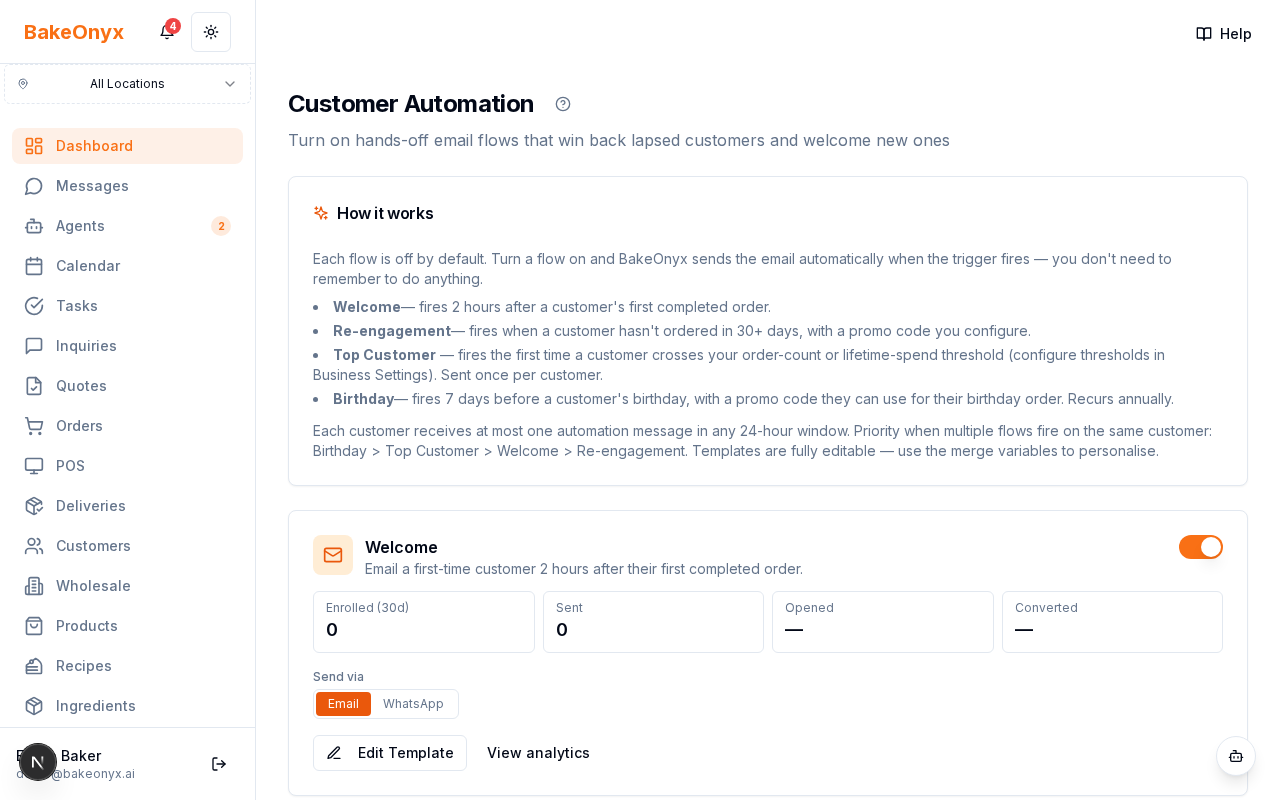
Go to Settings → Customer Automation. Each flow is its own card with a toggle, a 30-day performance strip (Enrolled / Sent / Opened / Converted), an Edit Template button, and a link to per-flow analytics.
Tier and Access
- Essentials: sees an upgrade CTA; no flows run.
- Growth: all four flows, deterministic email templates.
- Scale: adds AI personalisation on every email (Claude Haiku re-writes your template in a warmer, more human tone while keeping every fact and link intact).
How Enrolment Actually Works
- A trigger (cron or event) finds a candidate customer.
- The system checks the customer is active, has an email, and hasn't opted out.
- It skips if the customer is already enrolled in this flow (or was enrolled within the flow's gap window — 300 days for Birthday, lifetime for the others).
- An enrolment row is created + a pending step is scheduled.
- Every 5 minutes, a dispatcher picks up due steps and sends them.
A customer opted-out BETWEEN enrolment and send is re-checked at send time — the step is marked skipped rather than sent.
Priority Between Flows
Each customer receives at most one automation message per 24-hour window across all flows. If two flows fire on the same customer on the same day, the winner is:
Birthday > Top Customer > Welcome > Re-engagement
The losing flow's step is marked skipped with a reason like rate_limited_by_birthday so analytics stay accurate.
Editing Templates
Every flow ships a sensible default subject + HTML body. Click Edit Template to rewrite either one. Merge variables available:
{{customerName}}— first name, or "there" if missing{{bakeryName}}— your bakery name{{promoCode}}— auto-generated single-use code{{discountPercent}}— the promo's %{{promoExpiry}}— formatted expiry date{{storefrontLink}}— your public storefront URL{{totalOrders}}— this customer's lifetime order count (useful for Top Customer copy)
Top Customer Thresholds
A customer qualifies for the Top Customer flow when either:
- their completed-order count crosses your
vipOrderThreshold(default 5), or - their lifetime spend crosses your
vipRevenueThreshold(default 500 in your currency).
Set thresholds in Business Settings → Top Customers. These are the same thresholds the dashboard's Top Customers card uses.
Birthday Mechanics
Birthday data lives on each customer as an Important Date of type birthday. The daily scan runs at 07:00 UTC, looks 7 days ahead, and enrols customers whose birthday is on that date. The flow re-enrols each customer annually — the 300-day gap window prevents double-sends within the same birthday year.
Feb 29 customers: in non-leap years, they're matched on Mar 1 instead — a 1-day wobble rather than no email at all.
Analytics
Each flow card shows a 30-day stats strip. For deeper drill-down, click View analytics on any card — you'll see a time-series chart of enrolments, sends, and conversions, plus a recent-enrolments table.
A conversion = the customer placed a completed order within 14 days of receiving the email.
What It Doesn't Do (Yet)
- Product recommendation inside Welcome. Planned — waiting on the recommendation engine (Spec 041).
- SMS delivery. Email (default) and WhatsApp (when configured) only.
- Multi-step sequences per flow. Each flow sends exactly one message per enrolment.
See Also
- AI Content Studio — author the email blurb you paste into templates.
- WhatsApp Automation Delivery — send any flow via WhatsApp instead of email.