Your Morning Social Digest — Email + Dashboard Banner
Every morning at 8am bakery time, get an email + dashboard banner showing what to post today (and what slipped past due). No spreadsheet, no missed days. Growth and Scale plans.
What It Does
Every morning at 8am in your bakery's local time zone, BakeOnyx sends you a short email + shows a banner on your dashboard listing the social posts you have scheduled for today and any that slipped past due. No more "I forgot to post on Tuesday." No more juggling a spreadsheet of planned content.
Tier and Access
- Growth and Scale plans. Banner + email both follow the Calendar tab's gate.
- Time zone comes from your bakery settings. Update at
Settings → Generalif it's wrong.
The Email
The morning email is broken into clear sections so you can act fast:
- ✨ Your AI drafted these for the week ahead (Scale only) — appears when the AI Social Studio Agent has pending drafts in your Review queue. Includes a thumbnail, caption preview, and a deep link to the Review tab.
- Today's posts — every Scheduled post for today. Each entry includes the time, target platforms, image, and caption preview.
- Past due — any post whose scheduled time has slipped without a Mark as posted, separated visually with a red border.
At the bottom of the email is a single button: Open in Content Studio, which takes you straight to the Calendar tab.
The Dashboard Banner
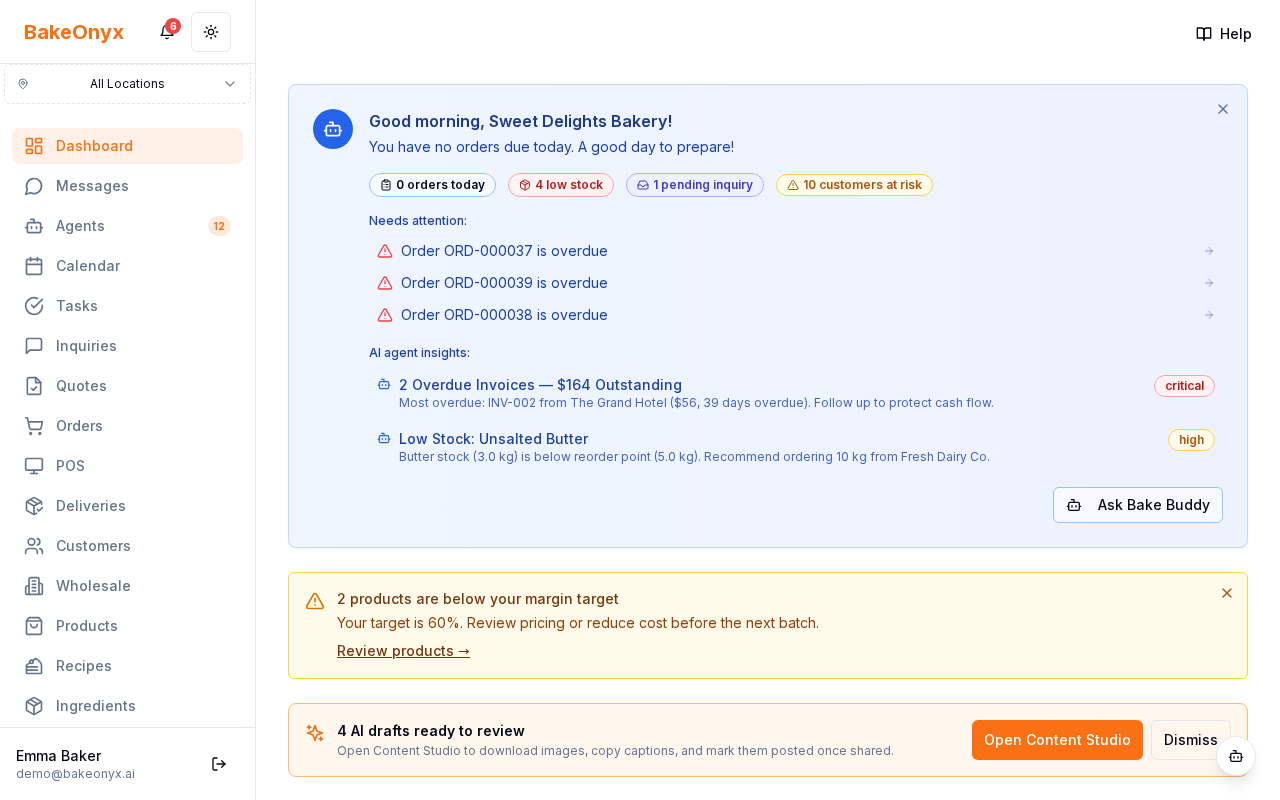
If you log into your dashboard between 6am and the rest of the day, you'll see a coloured banner above the page header. It shows:
- "N posts to share today" — for Scheduled items.
- "M past due" — appears in red if any have slipped.
- "K AI drafts ready to review" — appears in purple when the agent has pending drafts (Scale only).
Two buttons: Open in Content Studio (deep links to Review or Calendar based on what's pending) and Dismiss (hides for the rest of the day; reappears tomorrow morning).
How the 8am Trigger Works
BakeOnyx checks every 15 minutes which bakeries should receive the digest. The match window is your bakery's local 8:00 ± 5 minutes — so even if your worker has a brief restart, you'll still receive it on time. Each bakery gets at most one digest per local day (idempotent dedupe), so multiple worker tick-overs don't send duplicate emails.
Customising — Future Work
For now, the digest fires daily and includes everything in the bakery's queue. A future release will let you opt out, change the trigger time, or filter to specific channels. If you'd rather not receive it for now, dismiss the banner each day; the email cannot be turned off without disabling the Calendar tab itself.
See Also
- Schedule Posts to Your Social Calendar — the source of every item in the digest.
- Let AI Draft Your Week of Posts — Scale-tier; generates drafts that surface in the digest.