Run a Black Friday Deal in Your Online Store
Set up a dated Black Friday promo code, open gift-box pre-orders, and post about it — so the weekend brings you new online orders.
Run a Black Friday Deal in Your Online Store
Black Friday is Friday 27 November. Small Business Saturday is 28 November. Cyber Monday is 30 November. Many people buy gifts and order for Christmas on these days. This guide shows how to get new online orders from that weekend.
- Make a promo code that works only on the deal days.
- Open gift-box pre-orders, so the weekend gives you orders for later dates.
- Tell your customers about the deal.
Plan: The online store is on the Growth and Scale plans. During your free trial, you have all features.
Step 1: Make a gift box product
A gift box is a normal product. Customers order it now and collect it later.
- Go to Products.
- Add a product, for example "Christmas cookie box (12)". Give it a price and a photo.
- Put it in a category, for example "Gifts". Make sure that the product shows in your online store.
Step 2: Make the Black Friday promo code
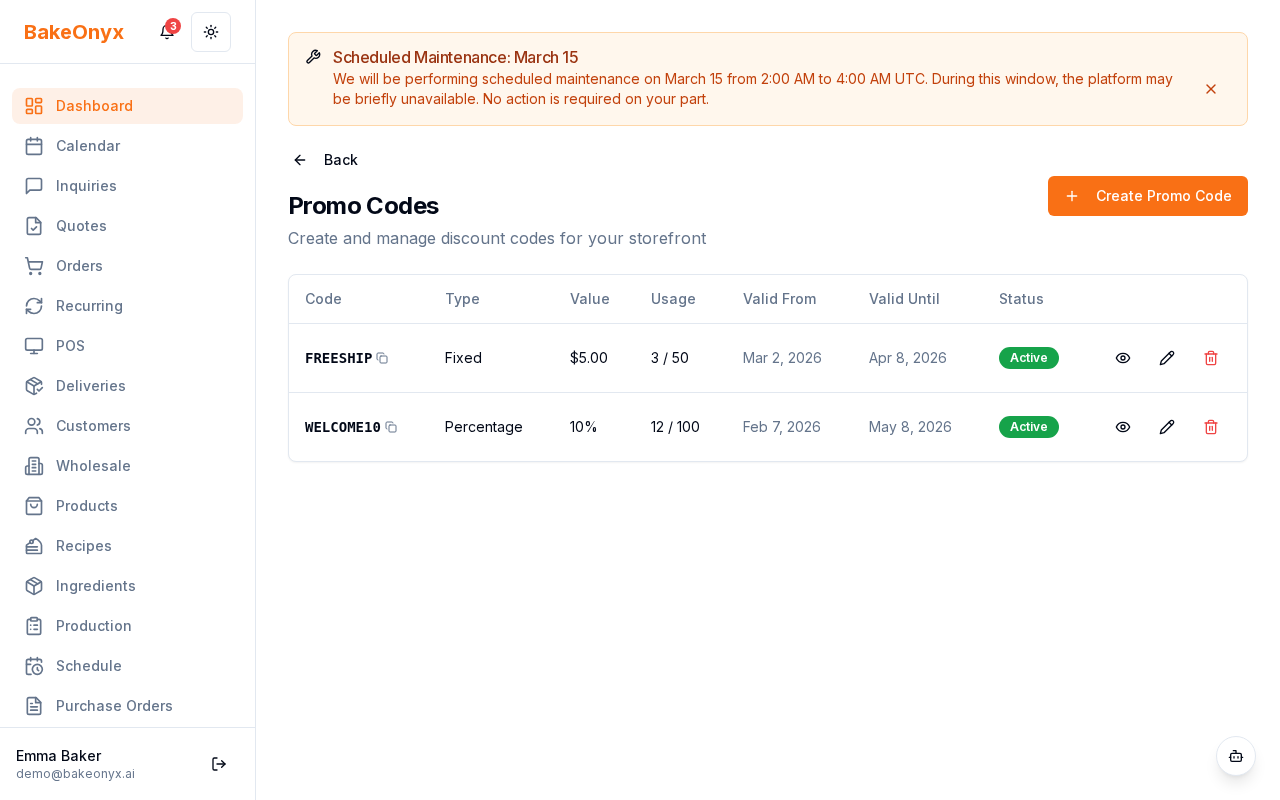
- Go to Storefront → Promo Codes.
- Click Create Promo Code.
- In Code, type a short code, for example
BLACKFRIDAY. - In Discount Type, select a percentage or a fixed amount. Type the value in Discount Value.
- In Minimum Order Amount, type a value if you want bigger orders. For example, set it a little above your usual order.
- In Valid From, set Friday 27 November, 00:00. In Valid Until, set Monday 30 November, 23:59.
- Optional: set Max Total Uses to the number of boxes you can bake. Set Max Uses Per Customer to 1.
- Make sure that Active is on. Click Save.
Note: The code works on the full order. You cannot limit the code to one product or one category.
Tip: You do not have to give a discount. A clear Christmas order cut-off date also makes customers order early.
Step 3: Tell your customers
- Go to Content Studio → This Month. In November, you see 3 ready posts: a Black Friday gift box, a Small Business Saturday thank-you, and a Christmas order cut-off.
- Copy a post. Add your code and your store link. Post it on Thursday or Friday morning.
- In Content Studio → Occasions, click Create special on an occasion to go to Promo Codes.
- Add the code to your shop window, your receipts, and your WhatsApp status.
Step 4: Check the results
- Go to Storefront → Promo Codes. The list shows how many times customers used each code.
- Look at your online store orders for the weekend and compare them with a usual weekend.
- After the deal ends, turn Active off, or let the end date stop the code.
Common questions
Can a customer use the code after Monday?
No. After the Valid Until time, the store does not accept the code.
Can I use the code for orders that I take in the shop or by phone?
No. Customers type promo codes at checkout in your online store. For other orders, add the discount on the order.