AI Agent Settings
Configure AI agent notification preferences, auto-approval rules, and review execution history.
AI Agent Settings
- Configure how and when your AI agents send you notifications
- Set up auto-approval rules for low-confidence suggestions
- Monitor agent activity and review past recommendations
What are AI agents?
BakeOnyx's AI agents run in the background to help you manage your bakery more efficiently. They analyze your inventory, pricing, and production data to spot opportunities — like when stock is running low, pricing might need adjustment, or production schedules could be optimized. You control how often they run and how they notify you.
Access your AI agent settings
- Log in to your BakeOnyx dashboard
- Click Settings in the left sidebar
- Select AI Agents from the settings menu
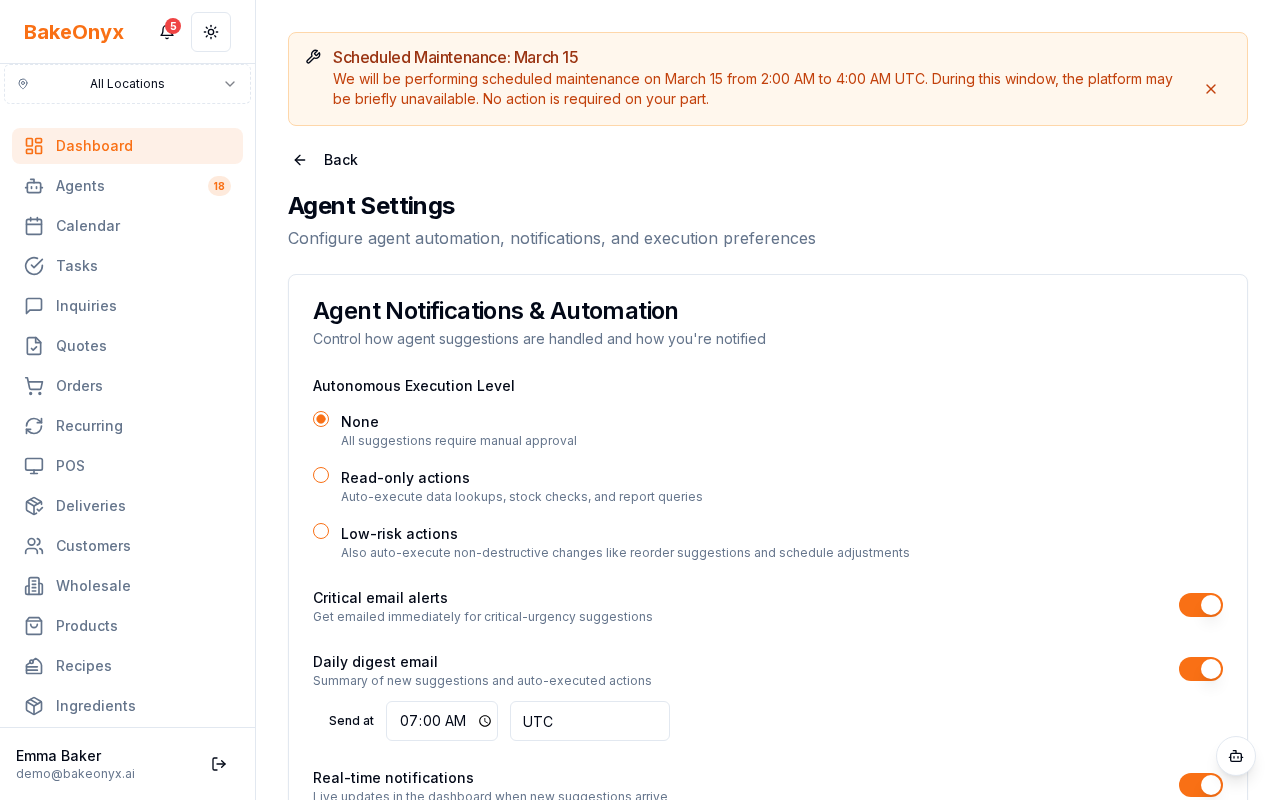
Configure notification preferences
Choose how you want to be notified when your AI agents generate suggestions.
- Locate the Notification Preferences section
- For each agent type (Inventory Monitor, Pricing Advisor, Production Optimizer, etc.), select your preferred notification method:
- Email — Receive suggestions via email
- In-App — See notifications in your BakeOnyx dashboard
- Both — Get notified both ways
- Off — Disable notifications for that agent
- Click Save Changes at the bottom of the page
Set up auto-approval rules
By default, all AI suggestions require your manual approval before they take effect. Use the auto-approval threshold to automatically accept suggestions the AI is very confident about.
- Find the Auto-Approval Threshold setting
- Adjust the confidence score slider (typically 0–100%)
- Any suggestion with a confidence score at or above this threshold will be automatically approved and executed
- Suggestions below the threshold will still be sent to you for manual review
- Click Save Changes
Adjust agent run frequency
The cooldown period controls how often agents analyze your data and generate suggestions.
- Look for the Cooldown Period setting
- Set the minimum time between agent runs (default is 30 minutes)
- A shorter cooldown means more frequent analysis; a longer cooldown reduces system load
- Click Save Changes
Enable or disable specific agents
You can turn individual agents on or off based on your bakery's needs.
- In the Agent Types section, find the agent you want to control
- Toggle the switch to On or Off
- Click Save Changes
Review agent execution history
To see what your agents have been doing and what suggestions they've generated:
- Go to Dashboard in the main menu
- Click Agent Activity or Execution History
- Browse past agent runs, including:
- Timestamp of when the agent ran
- Agent type (Inventory Monitor, Pricing Advisor, etc.)
- Status (Completed or Failed)
- Number of suggestions generated
- Actions taken (approved, rejected, or auto-approved)
- Click on any run to see detailed suggestions and your responses
Next steps
- AI Features & Usage Limits — Learn what agents are available on your plan and how many suggestions you can generate per month
- Understanding Subscription Plans — Explore plan tiers and AI agent access
- Welcome to BakeOnyx — Get an overview of all BakeOnyx features