AI Features & Usage Limits
Monitor your AI usage, understand tier limits, and configure Bake Buddy preferences.
Check your AI usage and limits and configure Bake Buddy under Settings → AI: see your usage against your tier, set your morning briefing and communication style, and control which tools Bake Buddy can use. Here's how.
Accessing your AI settings
To see your current usage and configure your AI preferences, follow these steps:
- Log in to your BakeOnyx dashboard
- Click Settings in the left sidebar
- Select AI Settings from the menu
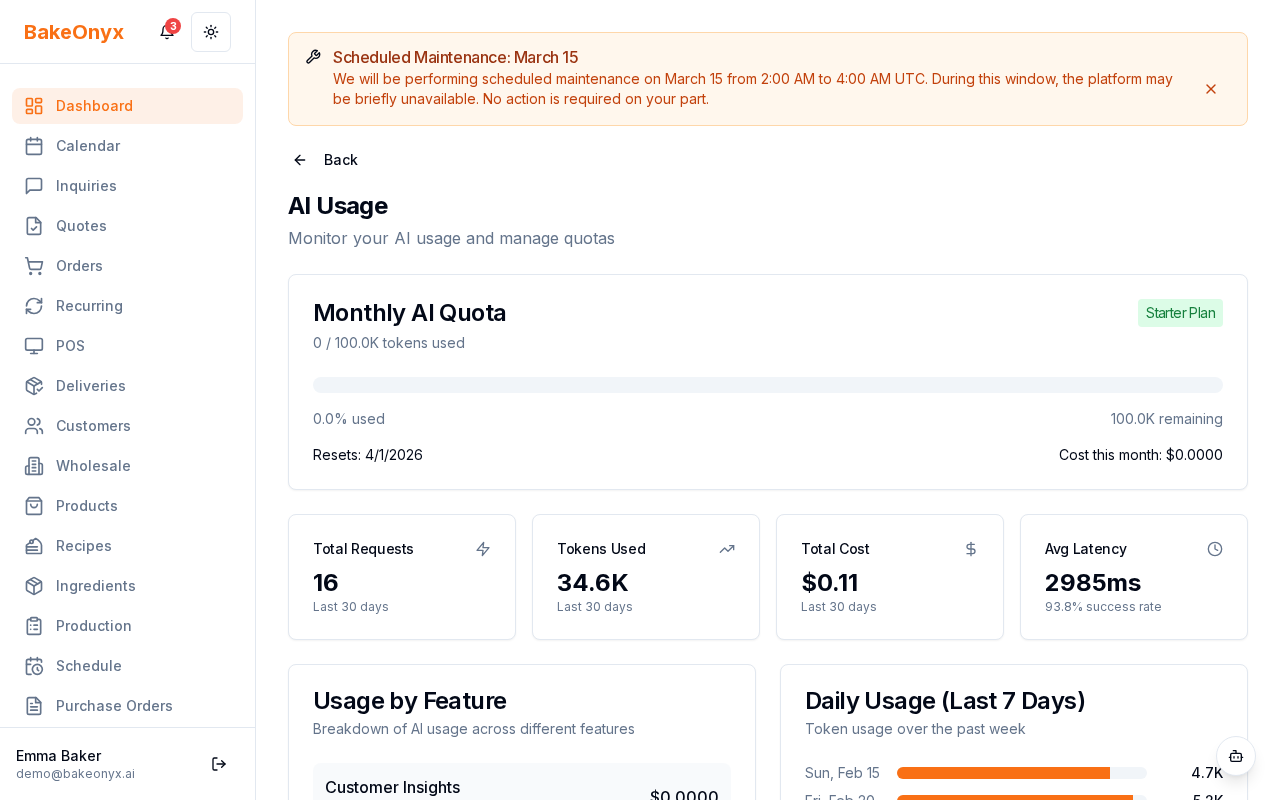
You'll now see your AI usage dashboard, which displays your current billing period's activity and your subscription tier limits.
Understanding your AI usage
The top section of your AI Settings page shows three key metrics:
- Bake Buddy Conversations: The number of times you've chatted with Bake Buddy this billing period
- Agent Runs: The number of times AI agents have completed tasks automatically (like adjusting inventory or generating forecasts)
- AI-Powered Features Used: The total number of times you've accessed AI features across BakeOnyx
Each metric includes a usage bar showing what percentage of your tier limit you've consumed. If you're approaching your limit, consider upgrading your subscription plan to unlock more AI capacity.
Checking your tier limits
Your subscription tier determines which AI features are available and how much you can use them:
- Essentials: Basic Bake Buddy chat support only
- Growth: Bake Buddy plus Pricing Optimizer and Inventory Predictions
- Scale: Full AI agents, advanced forecasting, and all premium features
Your current tier and its limits are displayed clearly on the AI Settings page. If you'd like to unlock more features or higher usage limits, you can upgrade your plan directly from this page.
Configuring Bake Buddy settings
Bake Buddy is your AI assistant for day-to-day bakery tasks. Customize how it works for your team:
Enable or disable the morning briefing
The morning briefing is a daily summary that includes your order count, low stock alerts, and upcoming deliveries. To toggle this on or off:
- Scroll to the Bake Buddy Preferences section
- Find the Morning Briefing toggle
- Click to enable or disable daily summaries
- If enabled, you can set the time you'd like to receive the briefing
Set your preferred communication style
Bake Buddy can adapt how it talks to you. Choose between:
- Concise: Short, direct answers focused on key information
- Detailed: Thorough explanations with context and recommendations
To change this preference, locate the Communication Style dropdown and select your choice.
Managing Bake Buddy tool access
Bake Buddy has access to 78 tools across 20 different domains—from inventory management to financial reporting. You can control which tools are enabled for your team.
Understanding tool risk levels
Each tool has a risk level that determines how Bake Buddy handles it:
- Auto: Bake Buddy can use this tool without asking for approval
- Confirm: Bake Buddy will ask for confirmation before using the tool
- Approve: A manager must approve the action before Bake Buddy proceeds
Enable or disable tools
- Scroll to the Tool Access section
- Browse the list of available tools by domain
- Toggle tools on or off as needed for your bakery's workflow
- Adjust the risk level for each tool using the dropdown menu
- Click Save Changes when you're done
Next steps
- Understanding Subscription Plans — Learn more about what's included in each tier
- Welcome to BakeOnyx — Get an overview of all BakeOnyx features
- Setting Up Online Payments — Configure payment options for your bakery